WhatsApp Business Multiple Users
Scale your team's communication with oChats. Invite multiple users to manage and reply 1 WhatsApp number.
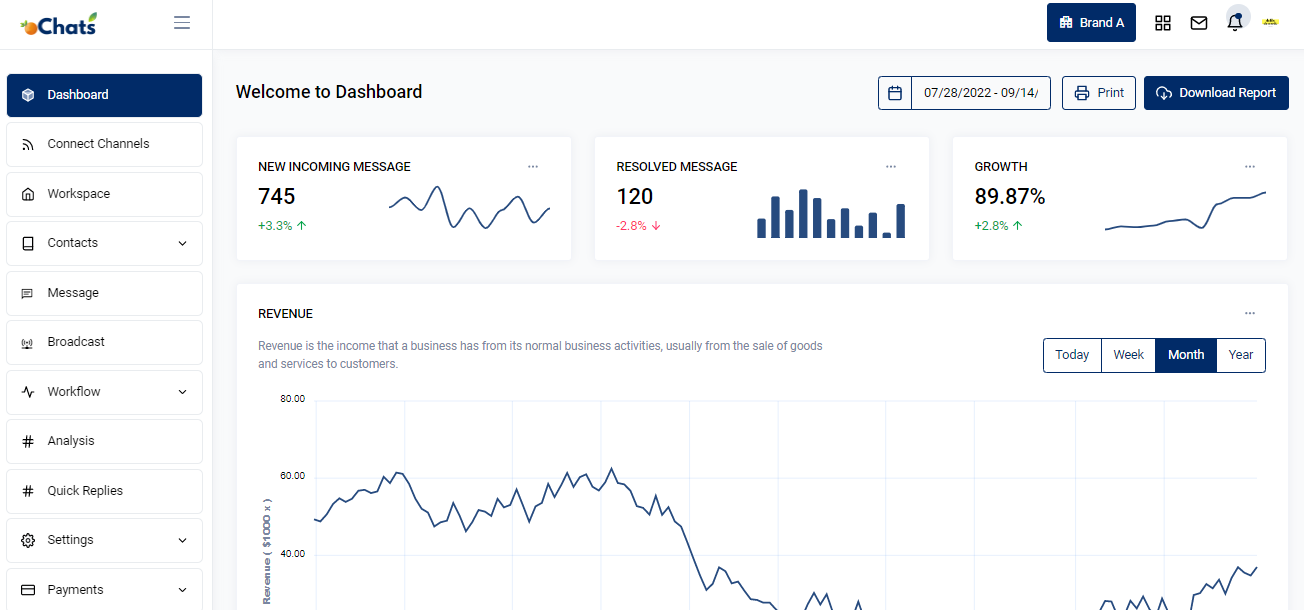
Welcome to the ultimate solution for growing businesses that need to scale their customer communication infrastructure. If your customer support, marketing, and sales teams are struggling to manage a flood of conversations from a single mobile device, or if you are constantly logging each other out of WhatsApp Web, you have found the right place.
Implementing WhatsApp business multiple users is no longer just a luxury for enterprise corporations—it is an absolute necessity for modern, fast-growing companies of all sizes. Today's consumers expect instant, personalized, and accurate responses. Through our powerful oChats platform, built securely on the official Meta Cloud API, you can seamlessly connect your entire workforce to a single WhatsApp Business number. No more syncing errors, no more missed leads, and no more account bans.
Ready to transform how your business talks to the world? Let's dive deep into why standard WhatsApp setups fail growing teams, the reality of finding a whatsapp business multiple agents free solution, and how oChats provides the definitive, high-converting multi-agent WhatsApp inbox.
The Growth Bottleneck: Why the Standard App Fails Modern Teams
Every successful business starts small. In the early days, managing customer inquiries through the standard free WhatsApp Business application installed on a single company smartphone works perfectly. A single business owner or dedicated support representative handles incoming messages, sends quick replies, and manages the relationship organically.
However, as your marketing campaigns succeed, your website traffic grows, and your customer base expands, the cracks in this basic setup begin to show rapidly.

The Dreaded Device Limit
The most significant pain point businesses face is Meta's strict native device limitation. Officially, the free version of WhatsApp Business allows you to connect exactly one primary mobile phone and up to four linked companion devices (like desktop computers or web browsers via WhatsApp Web). If you have a growing team and need a true whatsapp multiple agents setup for 10, 15, or 50 representatives, you hit an absolute brick wall. You cannot natively add more people without someone getting kicked off the platform.

Unofficial Workarounds Lead to Catastrophe
Desperate to get more agents online and avoid paying for enterprise software, many businesses turn to unauthorized third-party tools, cloned applications, or screen-scraping web integrations. Based on extensive community feedback and horror stories from technical forums, these "hacks" consistently result in the same catastrophic outcomes:
- Severe Syncing Issues: Messages fail to load consistently across devices. An agent might reply on computer A, but computer B still shows the message as unread. This leads to massive internal confusion.
- Dropped Conversations: High message volumes crash unofficial and unstable setups, leading to ignored customers, negative reviews, and lost revenue.
- The Permanent Ban Hammer: Meta's algorithm is aggressively cracking down on unofficial APIs. Having a dozen different IP addresses connecting simultaneously through non-approved, spoofed methods almost guarantees that your valuable business number will be permanently banned. Losing your primary communication channel overnight can cripple a business.

The Chaos of "Agent Collision"
Even if you manage to keep your team within the restrictive 4-device limit, the native app offers absolutely zero collaboration tools. If a high-value customer sends a message, two agents might see the notification and start typing a reply at the exact same time. One agent promises a 10% discount to save the sale, while the other bluntly says the item is out of stock. This "agent collision" creates an incredibly unprofessional experience for the buyer and damages your brand reputation.
- Severe Syncing Issues: Messages fail to load consistently across devices. An agent might reply on computer A, but computer B still shows the message as unread. This leads to massive internal confusion.
- Dropped Conversations: High message volumes crash unofficial and unstable setups, leading to ignored customers, negative reviews, and lost revenue.
- The Permanent Ban Hammer: Meta's algorithm is aggressively cracking down on unofficial APIs. Having a dozen different IP addresses connecting simultaneously through non-approved, spoofed methods almost guarantees that your valuable business number will be permanently banned. Losing your primary communication channel overnight can cripple a business.
You need a professional, scalable system. You need true WhatsApp business multiple users access through an officially vetted API provider.
What is a Multi-Agent WhatsApp Inbox?
A multi-agent WhatsApp inbox is a centralized software dashboard that connects to the official WhatsApp Business API. Instead of reading messages on a phone screen, your incoming WhatsApp chats are routed into a professional, cloud-based helpdesk interface.
Think of it as a control center for your company's communication. It allows dozens, hundreds, or even thousands of employees to log in with their own unique credentials, view the same incoming message stream, and reply to customers using one unified company phone number.
By upgrading to a proper whatsapp team inbox, you shift from informal, chaotic chatting to structured, measurable, and highly optimized customer relationship management.
The Free vs. Paid Dilemma: Can You Get WhatsApp Business Multiple Agents Free?
One of the most common search queries among business owners is how to set up whatsapp business multiple agents free. It is crucial to understand the realities of Meta's ecosystem to avoid making a costly mistake.
The truth is, Meta does not offer an unlimited, multi-agent solution for free.
The Free Tier
The standard WhatsApp Business App is entirely free to download and use. However, as established, it strictly limits you to 1 phone and 4 linked devices. If your team is exactly 5 people or fewer, you can technically operate a very basic multi-user setup for free using WhatsApp Web. But you will lack all routing, analytics, and collaboration features.
The API Tier
To unlock unlimited agents, you must migrate your number to the WhatsApp Business API. The API itself does not have a user interface; it requires a software platform like oChats to function. Meta charges per conversation (after the first 1,000 free service conversations per month), and platforms like oChats charge a subscription fee for the software dashboard.
While not free, the return on investment (ROI) of a paid whatsapp multi agent platform is massive. The cost of the software is easily offset by the increase in closed sales, the reduction in customer churn, and the sheer amount of time saved by your workforce. Trying to force a free solution to do an enterprise job will inevitably cost you more in lost business and inefficiencies.
The Solution: oChats Powerful WhatsApp Team Inbox
oChats bridges the gap between what Meta natively provides and what real businesses actually need to operate efficiently. By leveraging the official WhatsApp Business API, oChats abstracts the complex coding requirements and provides you with a beautiful, zero-configuration shared workspace.
Unified Shared Team Inbox
Imagine a single, clean dashboard where every single customer inquiry lands in real-time. Instead of fighting over a physical smartphone or asking "who is talking to the client ending in -4582?", your entire team can log into the oChats web portal simultaneously. Whether they are sitting in a corporate office or working remotely across the globe, there is absolutely no limit to the number of agents you can invite to your workspace.
Smart Ticket Routing and Automated Assignment
Smart Ticket Routing and Automated Assignment eliminate the confusion of "who is handling this?" by turning fluid conversations into structured support tickets within oChats. Incoming chats can be reviewed and manually assigned by a shift manager to the right department such as Sales, Billing, or Tech Support based on the customer's needs, or automatically distributed using round-robin routing to ensure an even workload among available agents and faster response times, a key factor in conversion rate optimization (CRO). Additionally, skill-based routing allows high-value VIP clients to be directed instantly to senior account executives using identifiers like phone numbers or tags, ensuring they receive the priority attention they deserve.
Internal Notes and Team Mentions
Customer support is a team sport. With our whatsapp team inbox, agents can leave invisible internal notes right inside the chat thread. If a junior agent doesn't know how to answer a complex technical question, they don't need to switch to Slack or email. They simply type @ManagerName in the internal notes. The manager gets pinged, reviews the context of the chat, and provides the answer all without the customer ever knowing the internal collaboration taking place.
Zero Agent Collision Guarantee
Our system includes highly responsive real-time presence indicators. If an agent clicks into a conversation, the system effectively "claims" it or clearly displays "Agent Sarah is typing..." to the rest of the team. This completely eradicates the risk of sending duplicate, conflicting, or embarrassing double-replies to your customers.
Advanced Analytics and Performance Tracking
You cannot improve a process that you cannot measure. The standard app gives you virtually no data beyond "messages sent." With oChats, administrators get a comprehensive bird's-eye view of team performance. Track vital business metrics such as First Response Time (FRT), Average Resolution Time (ART), total messages handled per agent per shift, peak messaging hours to optimize staff scheduling & customer satisfaction (CSAT) ratings post-conversation.
Quick Replies and Canned Responses
Typing out the same answer to the same question fifty times a day destroys productivity. Build a massive library of approved, branded quick replies. With a few keystrokes, your agents can instantly send beautifully formatted answers regarding shipping policies, return procedures, or pricing tiers, ensuring consistency across your entire whatsapp multiple agents team.
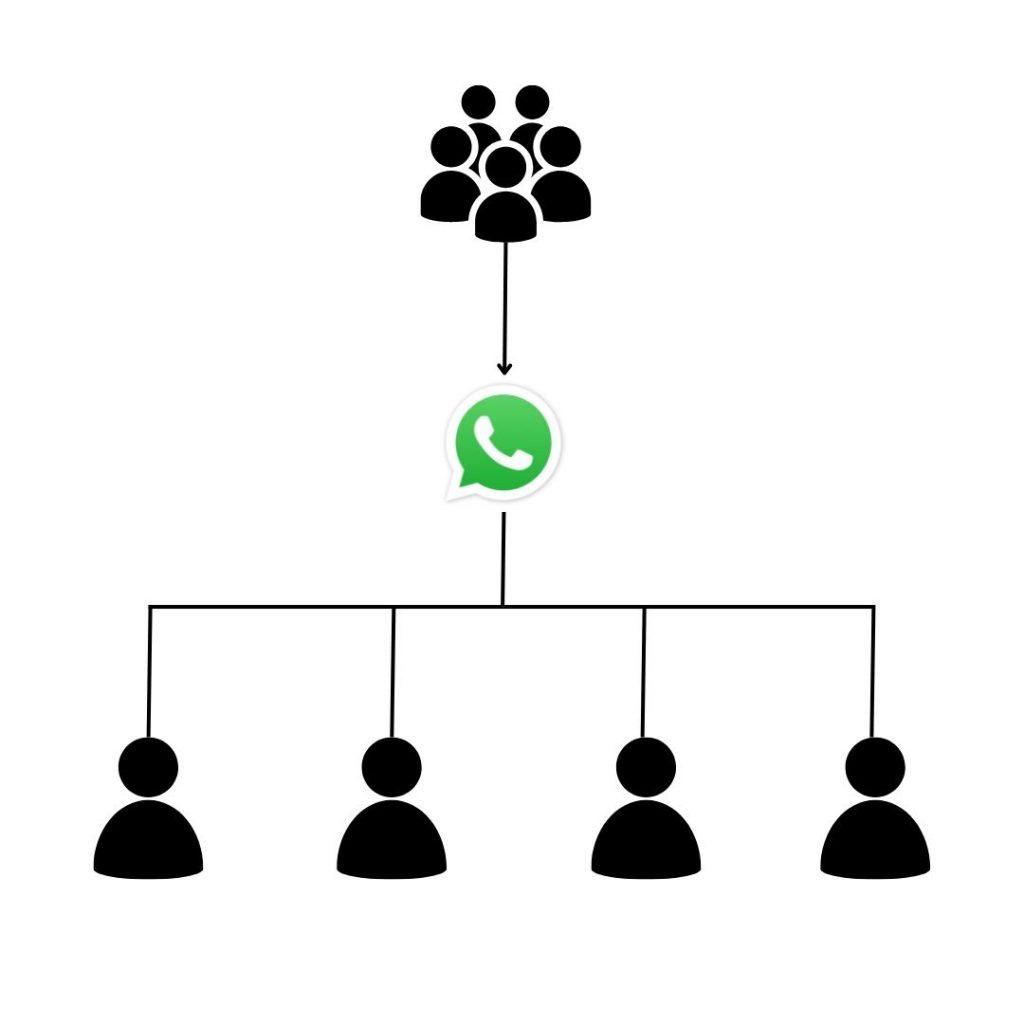
Multi users accessibility
1 WhatsApp number can manage by multiple users. By using oChats, you can even connect unlimited WhatsApp numbers to the software and pay for only 1 price. This allows you to scale your business easily!
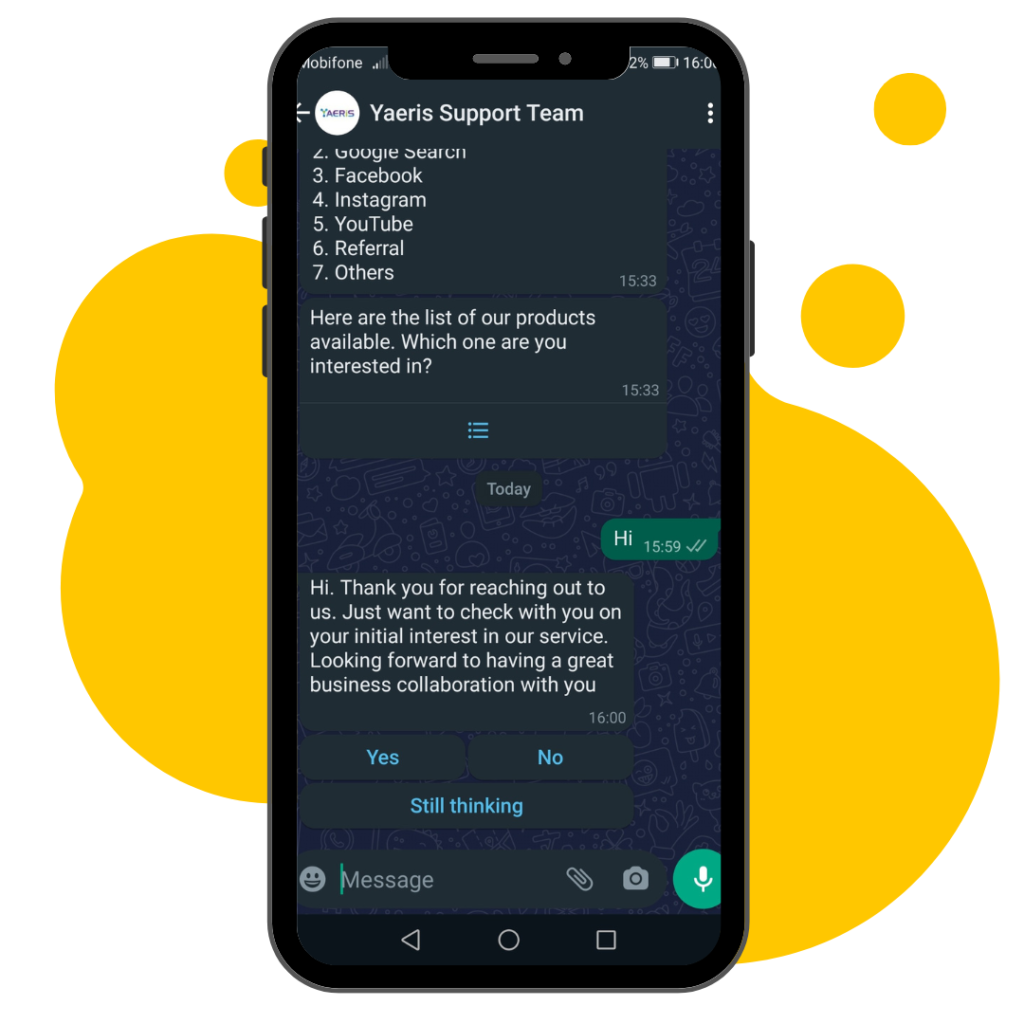
Responsive Reply With WhatsApp Button
Redesign how you reply to your customer so you can portray a better brand positioning. Also, increase customer confidence in your goods & services.

Automate Customer Service FAQs
Automating all types of FAQs starting from understanding the questions posed by customers/visitors. Train your chatbot to recognize, understand and diagnose the questions.

Reply With Automated WhatsApp Live Chat
Build a chatbot within your WhatsApp number. This chatbot is able to capture leads and answer all the questions automatically anyone has for your company.
Wait! There are more functions!
Yes, REALLY! More functions to make your life easier!
1 contact, 1 story
1 contact contains every message, email, web chat & internal discussion. All functionalities are built for you to manage your story well.
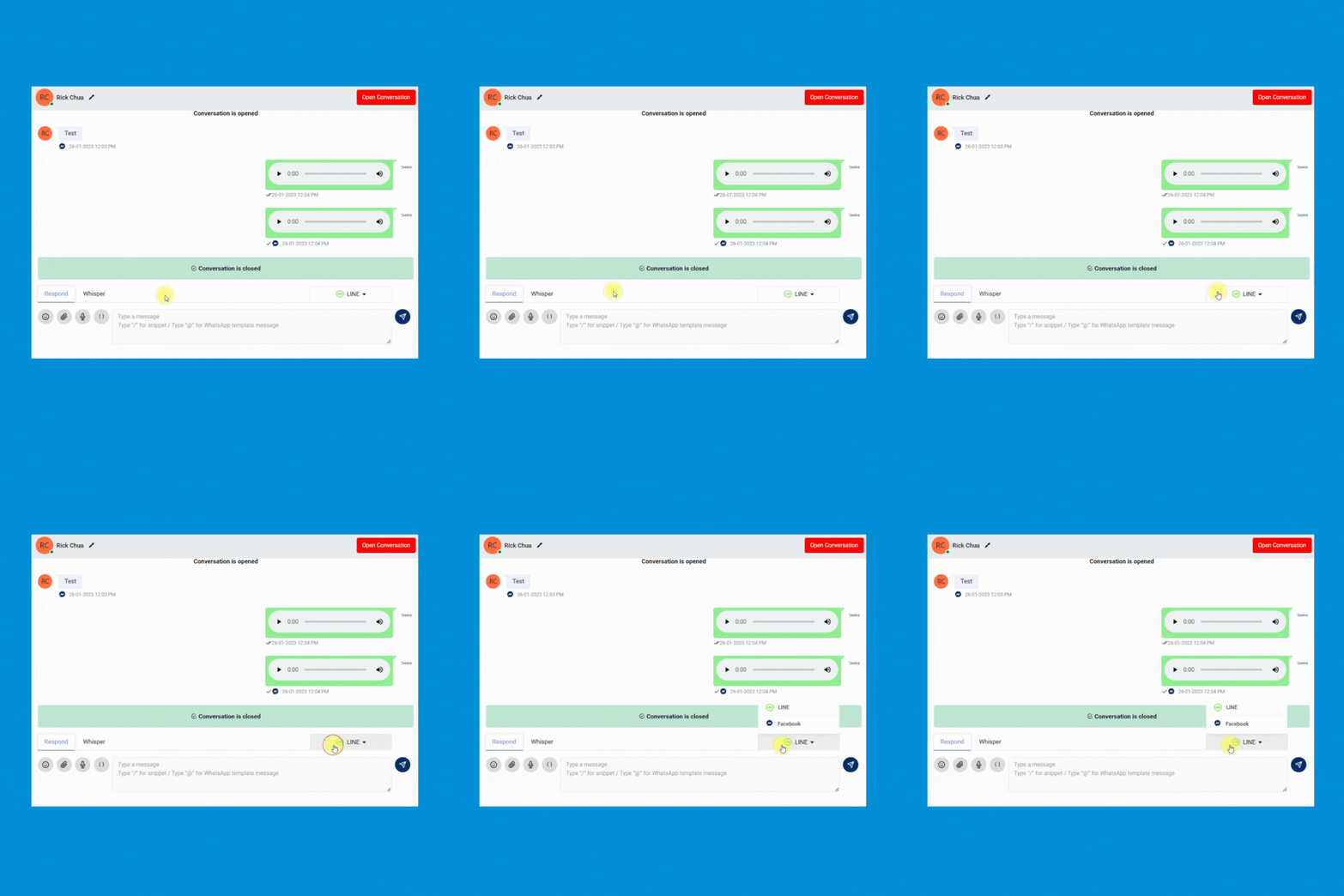
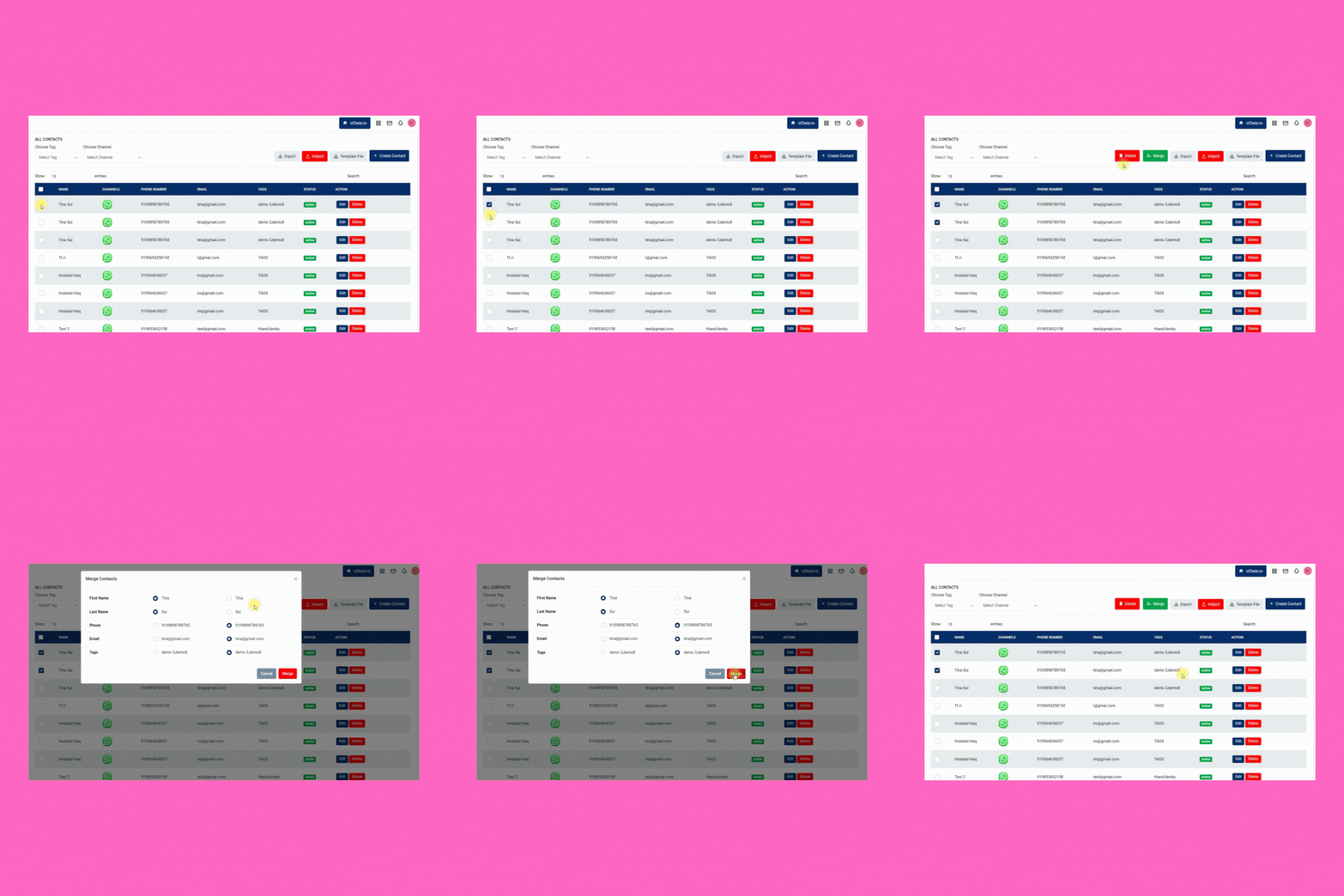
Merge the same contact across different messaging apps for better management. Keeping every contact clean and organized.
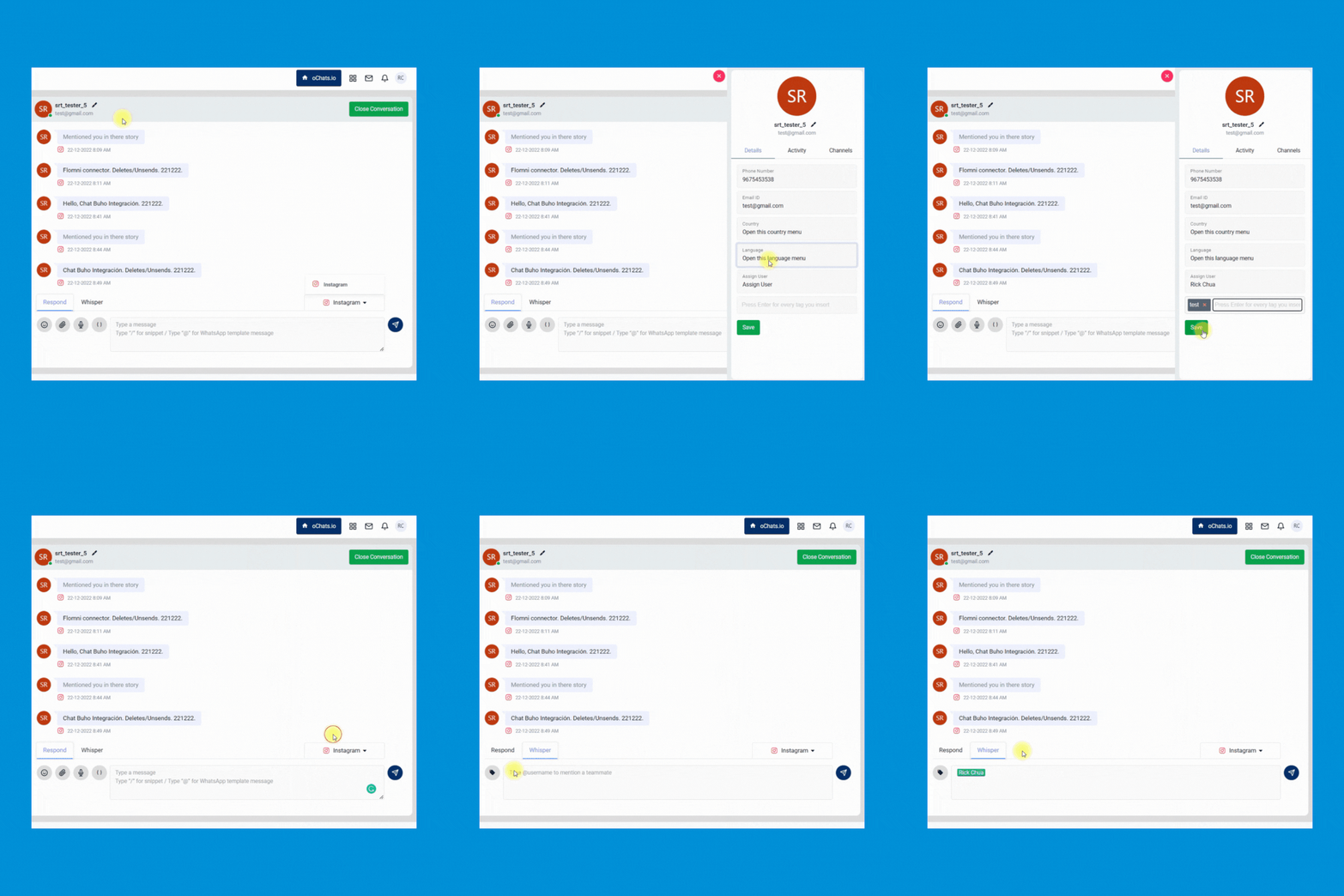
Enable your team to quickly transfer the conversation from 1 person to another and leave an internal note for reference purposes.
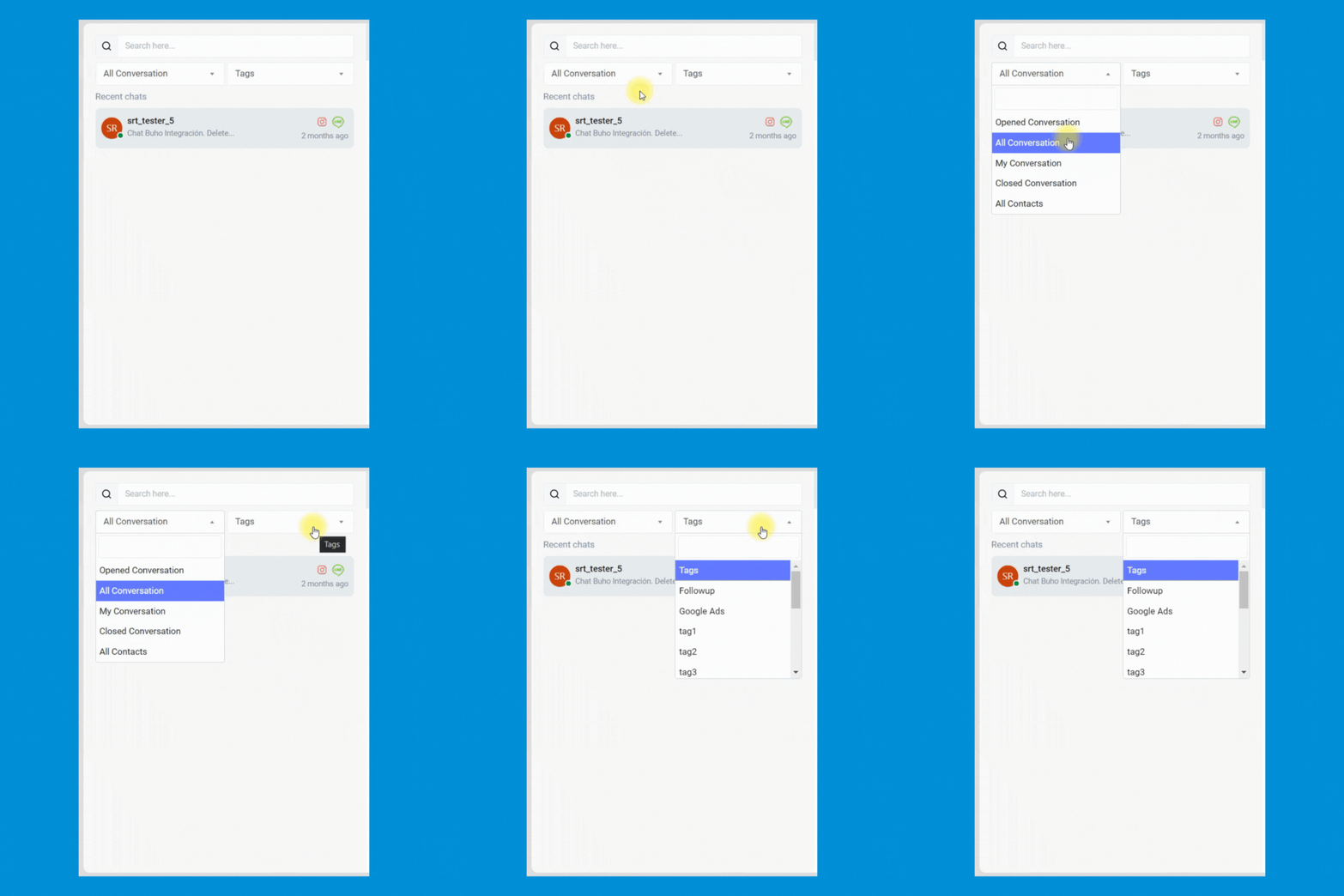
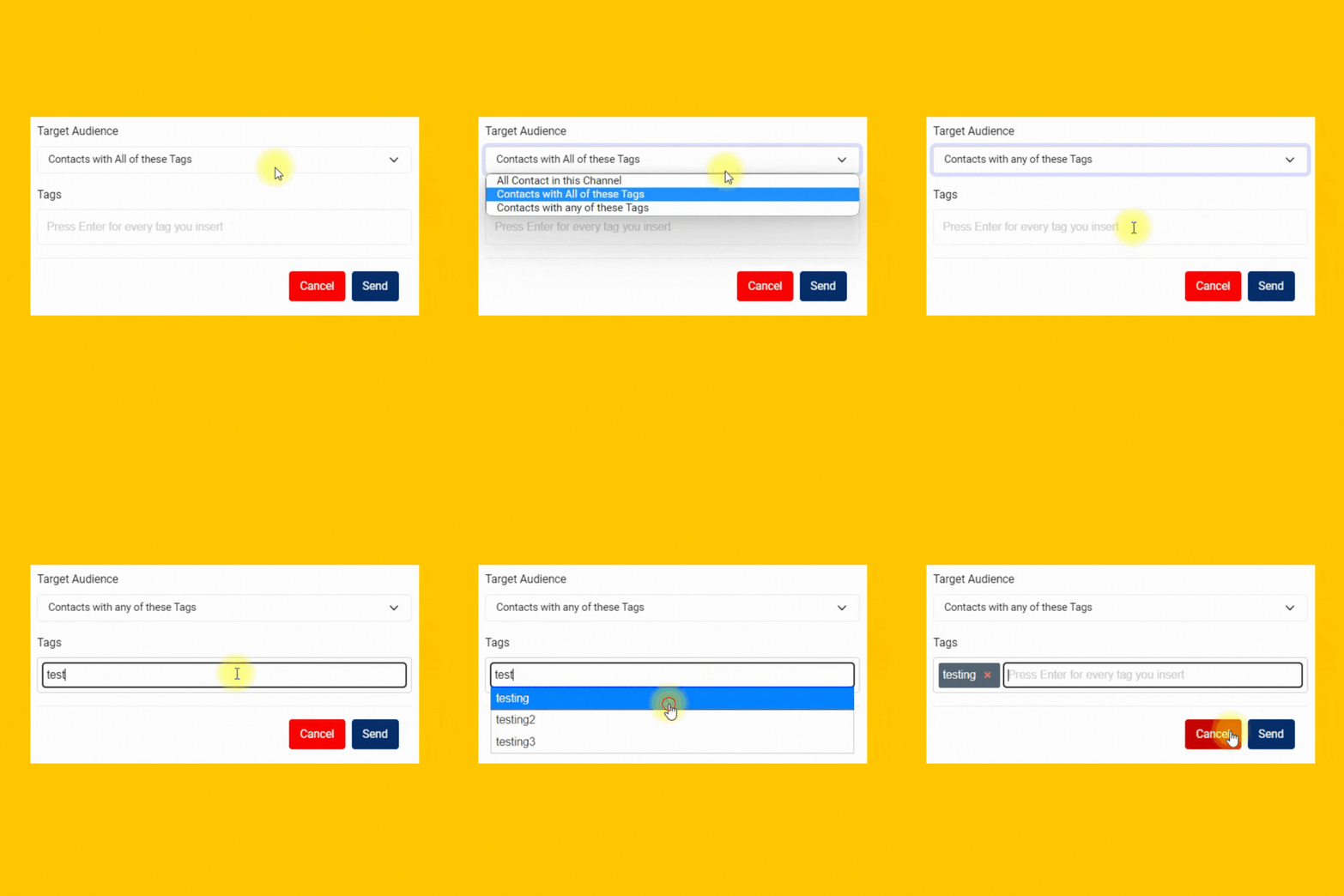
Manage every contact easily by inserting custom tags. Never miss any follow-up anymore.
Broadcast messages with 100% delivery rate
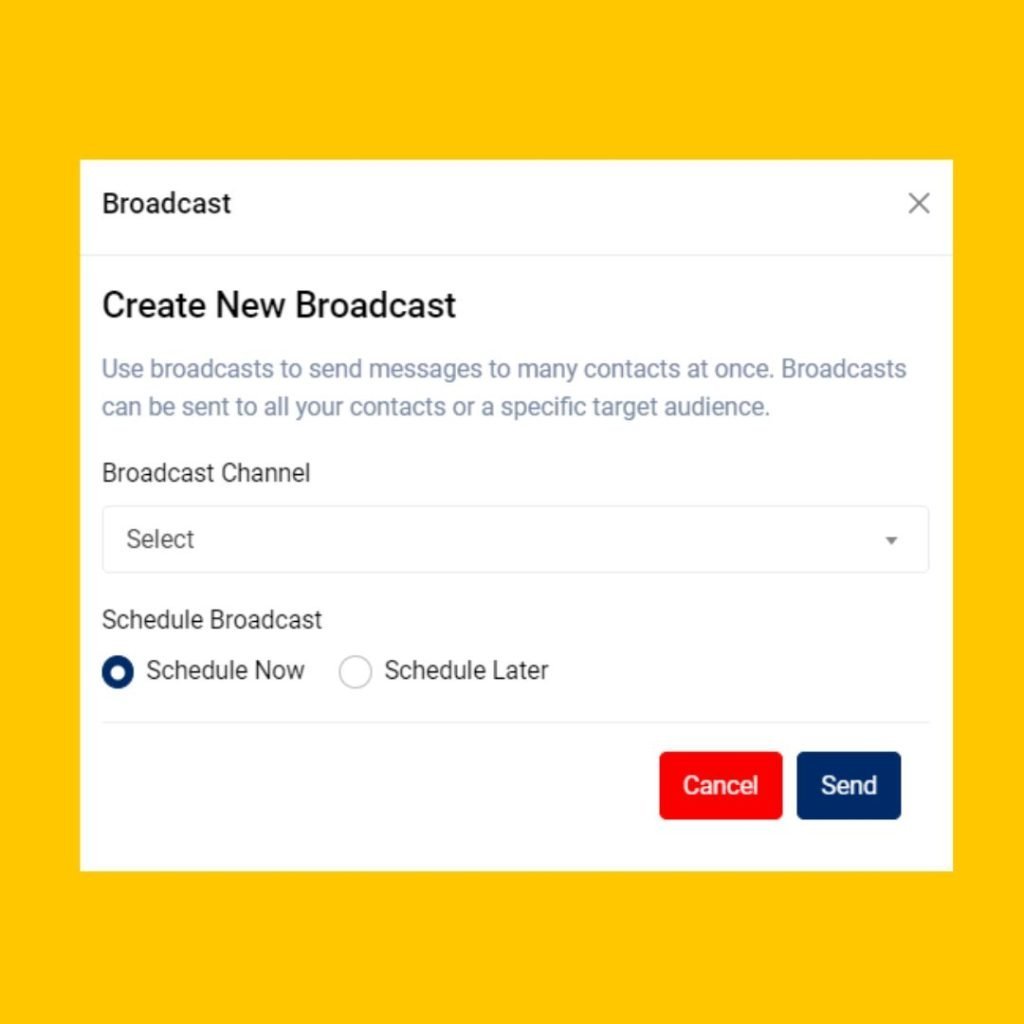
Send PROMOTIONAL MESSAGES with WhatsApp API provides a 100% delivery rate & instantaneous delivery.
Enable your team to launch and schedule any marketing easily. Your team can even include the button in the WhatsApp message to improve the clickthrough rate of your marketing campaign.
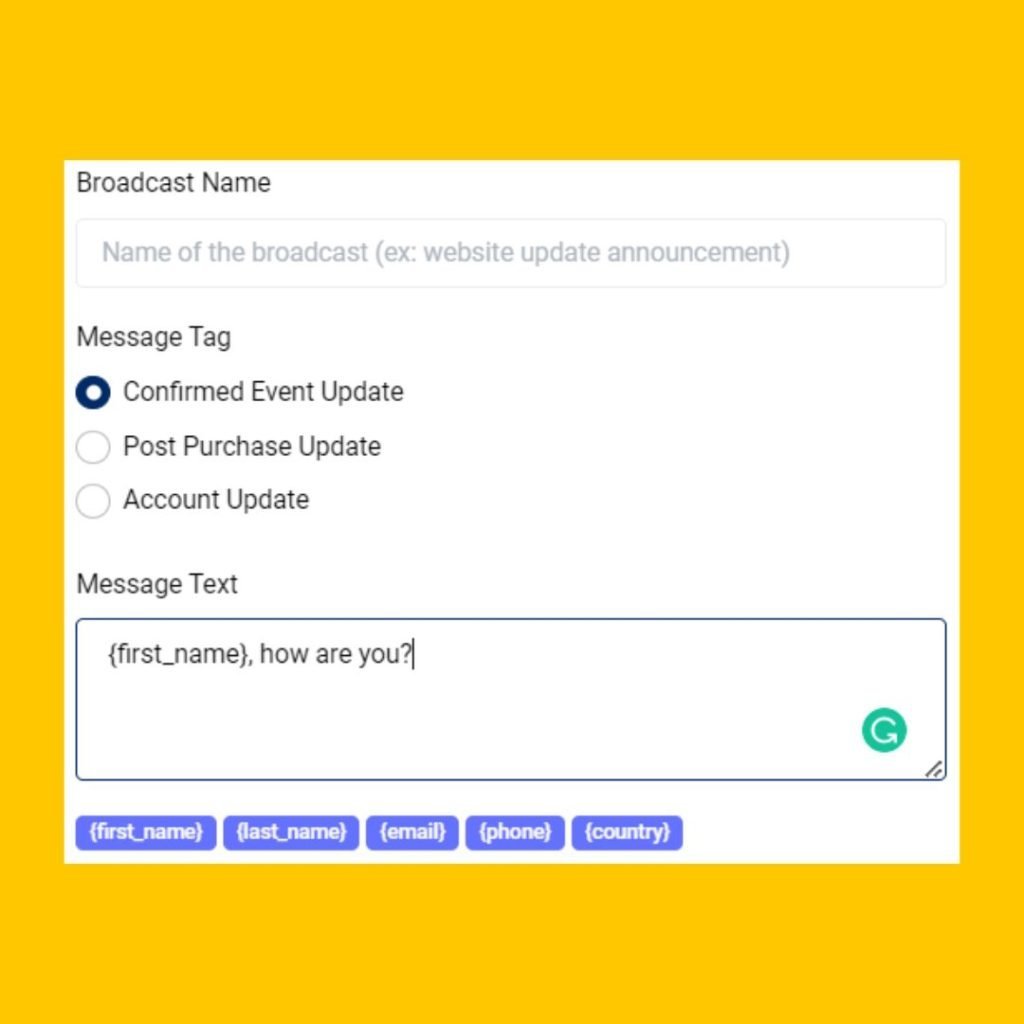
Allow your team to send personalized marketing messages to increase marketing engagement.
Send highly personalized messages to targeted prospects and customers to the right messaging app.
Leverage the unique traits of each channel. Make the most of every message with features like mixed media, templates and tags.
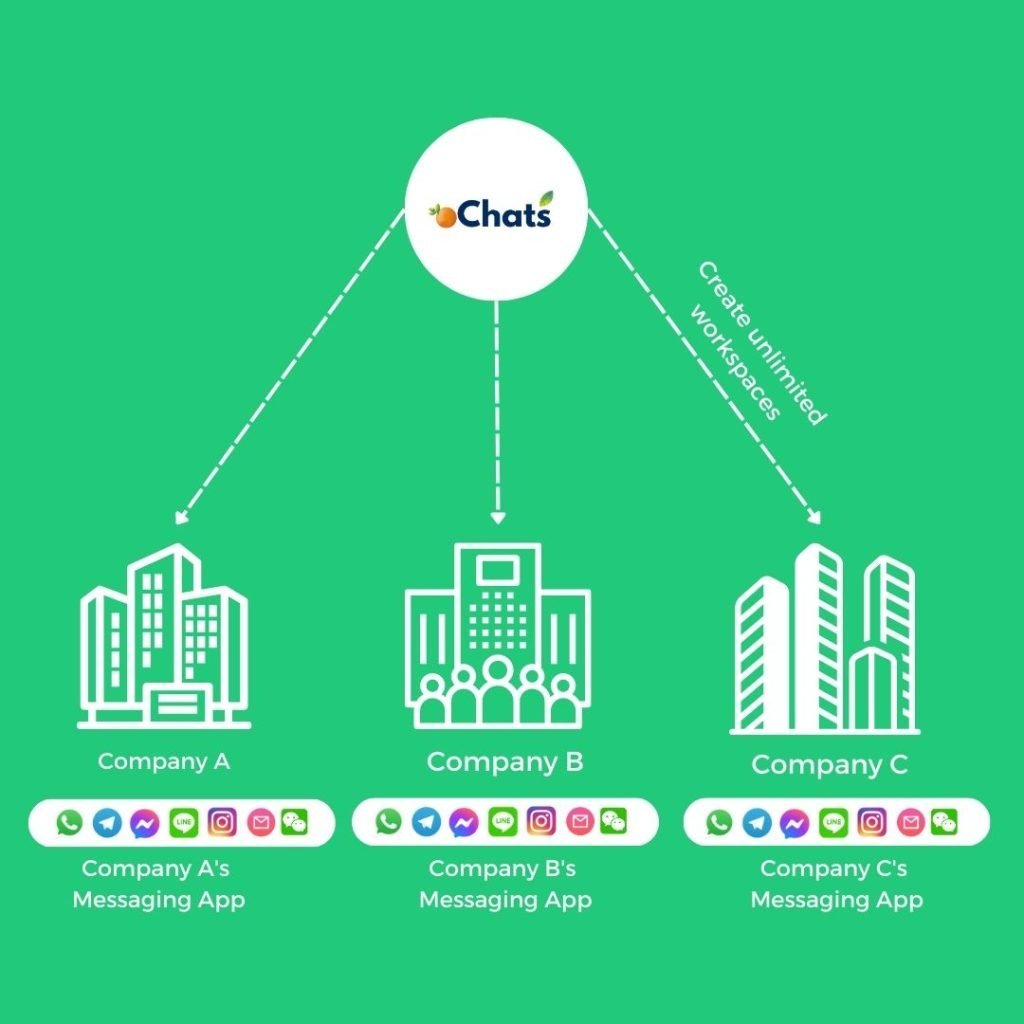
1 Platform, Unlimited Companies
Manage all incoming messages under your companies and brands using a single platform.
Managing all companies can be very expensive. We believe in providing real value to all businesses at an affordable rate. That's why we have decided to provide unlimited workspaces for any businesses to manage all companies in 1 platform. Super convenient!
Don't worry! Every workspace has its own unique contact module, message module, user permission module and more.
1 Platform, Unlimited Contacts From Different Messaging Apps
Never worry about expensive charges because of the high volume of contacts.
Every contact will be saved with the source of channels it comes from. Everything will be properly documented for your convenience.
2 conversations of the same person from different messaging apps can be merged so your team can have an organized conversation and contact information from 1 person.
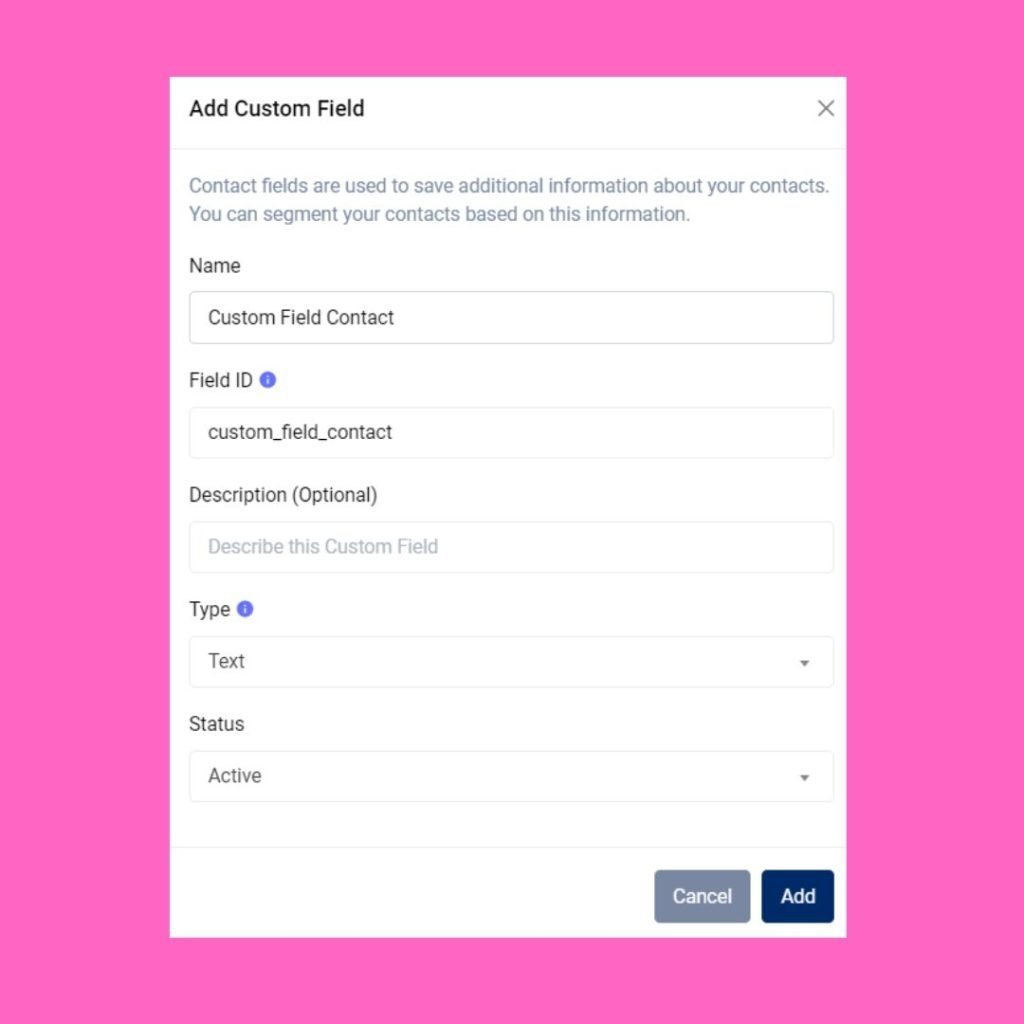
Create any contact field easily. Having a custom contact book designed specifically only for you.
Autoreply messages with workflow automation
Build a rule-based CHATBOT to free up your team's time
Build a 24/7 chatbot by using automated rules created within workflow automation.
Route every conversation to correct pre-assigned team members efficiently & accurately.
Tag every contact with a specific tag. These tags can be used for filtering all conversations easier in the Contact module.
Stop wasting time to qualify your leads one by one. Automate it by using workflow automation.


Supervisor Dashboard with Helicopter View
Save your time juggling from 1 messaging app after another. Have a Helicopter View with oChats.io.
Analyse all conversations
Gain long-view perspectives on team, conversation and overall messaging performance. On a single page, learn which Users are exceeding expectations, conversation response and resolution time trends.
Determine user permission
Assign unique permission for every team member by giving permission access on certain modules only.
Full control over everything
Having a full control on every team member's access has never been easier before. Revoke their access if user has resigned from your company.
Connect to WhatsApp
Choose one of the following methods

Connect via WhatsApp Web (WhatsApp Coexistence)
Connect your existing WhatsApp account to oChats via WhatsApp Web. All conversations are synced across your WhatsApp app and oChats web application. It is free. However, there are delays in syncing conversations between oChats and WhatsApp.
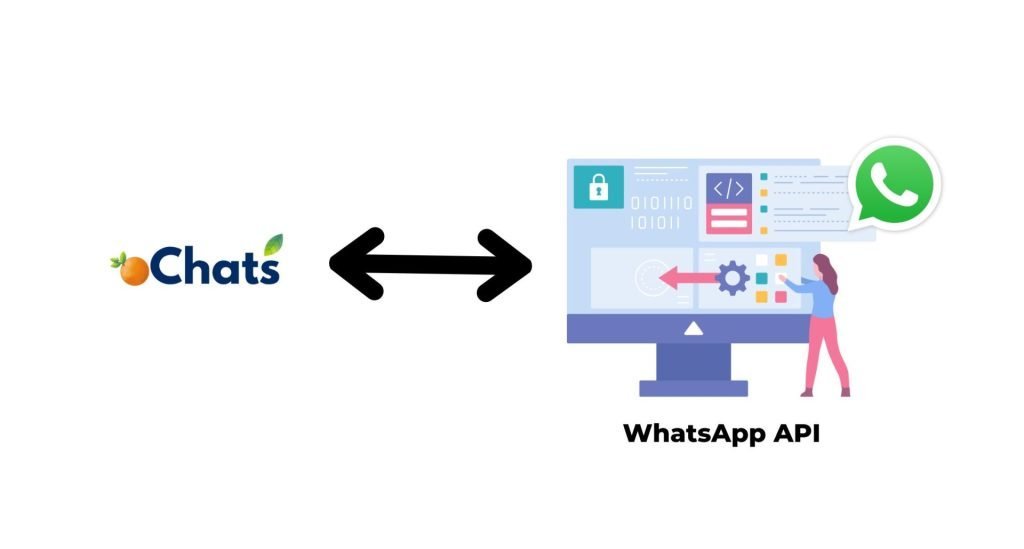
Connect via WhatsApp API
Connect your WhatsApp account via WhatsApp API. This is an official API given by Meta. It is more reliable and faster. There will be no delay in syncing the conversation between oChats and WhatsApp. However, there are charges.
WhatsApp Business App vs. WhatsApp Business API: The Ultimate Breakdown
To truly understand the value of unlocking WhatsApp business multiple users, you must understand the architectural difference between the App and the API.
| Feature / Capability | Free WhatsApp Business App | oChats (Official WhatsApp API) |
|---|---|---|
| Number of Users/Agents | Strictly 1 Phone + 4 Linked Web Devices | Unlimited Agents scaling with your business |
| User Roles & Permissions | None (Everyone has full admin access) | Advanced (Admin, Manager, Agent restrictive roles) |
| Chat Routing & Assignment | Not possible natively | Yes (Manual, Round-Robin, Skill-based routing) |
| Internal Team Collaboration | Not possible | Yes, with private @mentions and internal notes |
| Account Ban Risk | High (if using unauthorized scraping tools) | Minimal (Official Meta Partner Cloud API) |
| Analytics & Reporting | Basic metrics only (Sent/Delivered) | Comprehensive team analytics and SLA tracking |
| Automated Chatbots | Basic away/greeting messages only | Advanced AI integrations and complex flow-builder bots |
| Mass Broadcast Marketing | Limited to 256 contacts (must have you saved) | Reach thousands of opted-in users simultaneously |
| CRM Integration | None | Seamlessly connect to HubSpot, Salesforce, Zoho, etc. |
Transformative Use Cases Across Industries
How are modern businesses leveraging the oChats platform to drive conversions, reduce friction, and guarantee customer satisfaction?
E-Commerce & Retail Stores
Online shoppers demand instant gratification. When a customer asks about sizing, fabric types, or shipping times, they expect a reply within minutes. If they don't get one, they abandon their cart. By deploying WhatsApp business multiple users, e-commerce brands can have dedicated agents for pre-sales inquiries, order tracking, and returns. You can even send automated order confirmations, payment receipts, and shipping tracking updates directly to their most used chat app, drastically reducing "Where is my order?" (WISMO) tickets.
Real Estate Agencies and Property Management
Property inquiries come in fast, and hot leads go cold even faster. A real estate agency can route incoming leads based on the property location or price tier. If a buyer asks about a luxury downtown condo, the chat is instantly routed to the luxury specialist. Agents can share high-resolution property images, schedule physical viewings, send Google Maps pin drops, and distribute PDF brochures all from the shared dashboard.
SaaS, IT & Technical Support
B2B clients vastly prefer WhatsApp for fast technical support over submitting a slow email ticket. Tech companies can integrate oChats to categorize incoming bugs. Level 1 support can handle basic password resets and account inquiries, and then seamlessly transfer the chat to Level 2 engineers for complex API or server issues. Because it's a shared inbox, the entire conversation history remains intact, meaning the frustrated client never has to repeat themselves to the new agent.
Travel, Tourism & Hospitality
Hotels, airlines, and travel agencies deal with high-stress customer situations daily—flight cancellations, emergency booking modifications, or room upgrades. Having a whatsapp multi agent setup ensures that a 24/7 global team can log in, access the exact same business number, and assist stranded travelers immediately. Fast, personalized crisis management on WhatsApp significantly boosts brand loyalty and generates glowing five-star reviews.
Bringing all messaging benefits to you
Suitable for marketing, sales, support & engineering department

Broadcast Messages & Start Conversations
Send promotional updates, shipping updates, delivery reminders, payment reminders and other notifications on WhatsApp using our API's
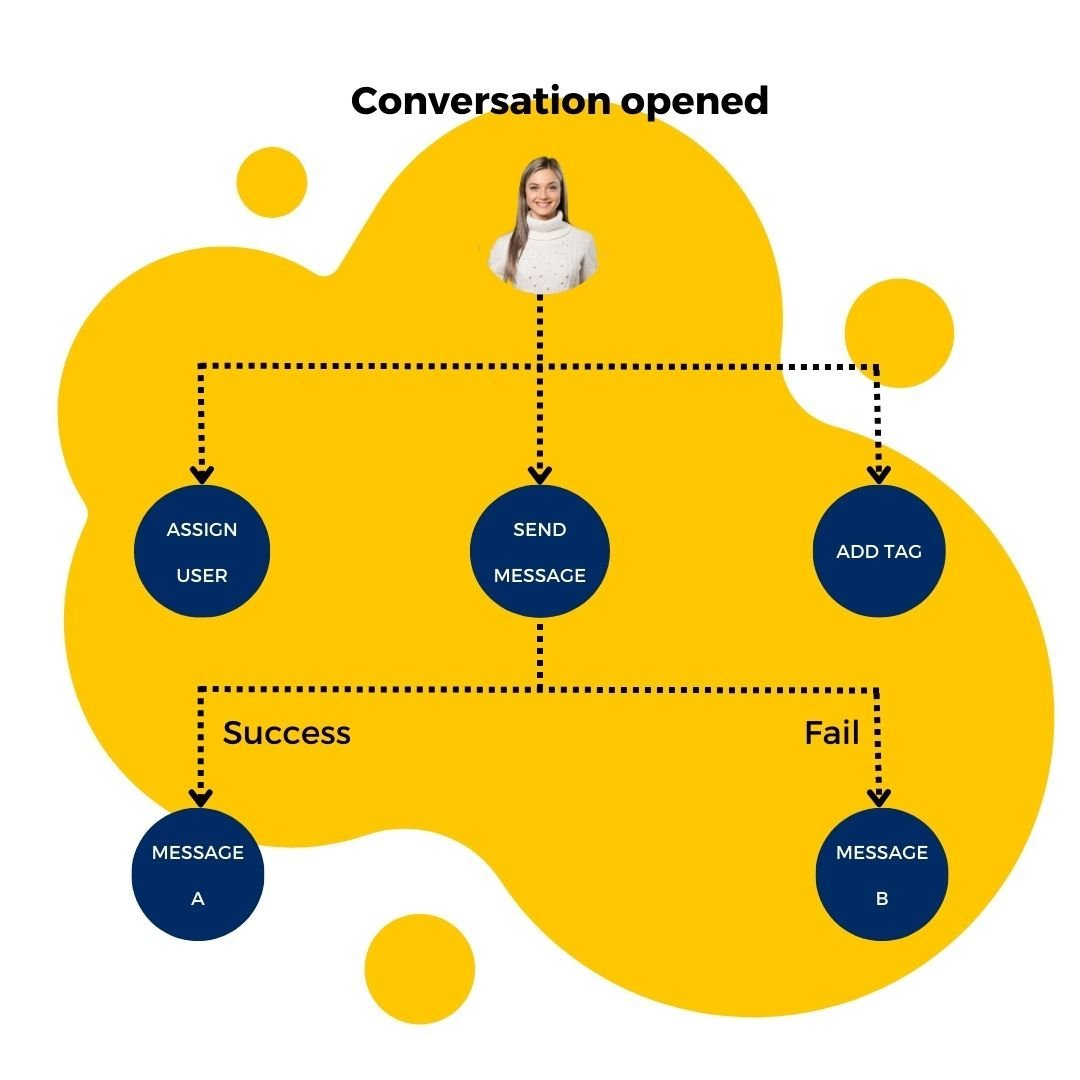
Automate all incoming inquiries with autoreply message
Autoreply all incoming messages with a proper workflow and create a great engagement rate in the process.

Manage all communication channels in 1 platform
Integrate all your business communication channels with oChats software. Then, you can manage all incoming and outgoing chat messages in 1 platform.
Simple & Straightforward Sign Up Process
WhatsApp Multi-User Chat App
Sign Up / Subscribe
Navigate to the oChats portal to register for a new account or initiate a free trial.
Connect to WhatsApp
Head to the WhatsApp integration module to sync to WhatsApp Business API (via Cloud API or WhatsApp Web coexistence).
Upload Contacts
Import your existing customer databases, leads, or opt-in contact lists directly into the CRM to prepare for direct messaging and broadcast campaigns.
Invite Team Members
Add team members or multiple agents, assigning appropriate roles and permissions to manage incoming chats.
Start Chatting
With your channels connected and contacts loaded, your unified inbox is active. You can now receive incoming inquiries, route chats to team members, and manage multi-channel conversations entirely from a single platform.
Sync Across Device
Available in iOS & Android
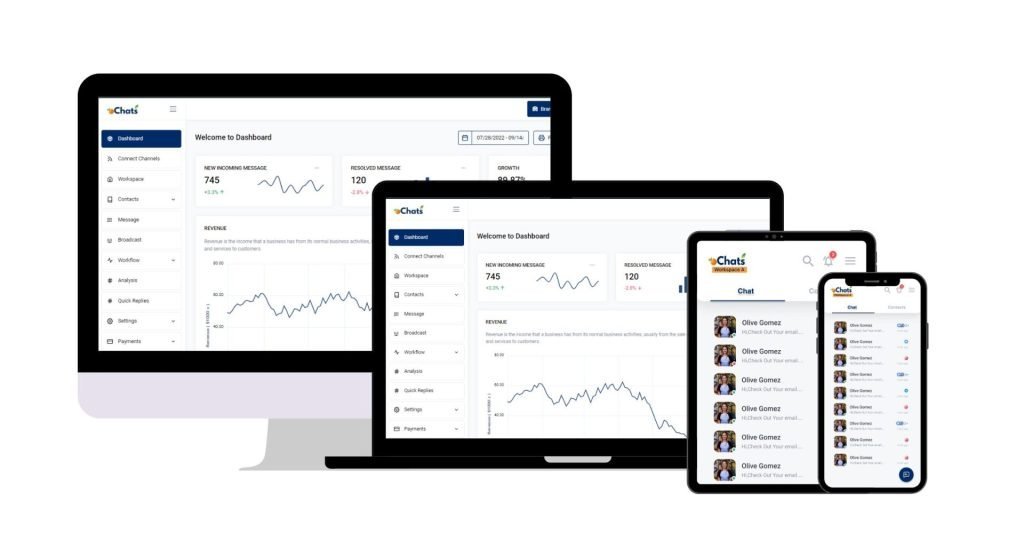
Reply on-the-go
Now you can reply to your business messages at anytime and anywhere. Download mobile app now.
Download mobile app now

Trusted by brands





Enterprise Security Protection
Your data hosts at Amazon Web Service
Data Secured
Your data is secured by AWS data protection protocol. AWS data protection services provide encryption and key management and threat detection that continuously monitors and protects your accounts and workloads.
AWS Threat Detection & Continuous Monitoring
AWS identifies threats by continuously monitoring the network activity and account behavior that might harm your data
AWS Compliance & Data Privacy
AWS gives you a comprehensive view of your compliance status and continuously monitors your environment using automated compliance checks based on the AWS best practices and industry standards your organization follows.
SSL Encryption
oChats data is encrypted both when it is sent to and from our servers as well as it rests.
Permission Access
oChats lets you decide who can access to your platform. You can also assign the level of access a person can access
Watch oChats.io In Action
Video demo
Frequent Asked Questions
We continuously scour tech communities, including Reddit's r/whatsapp and r/WhatsappBusinessAPI, to find the most pressing questions and frustrating bottlenecks business owners are facing. Here are the definitive answers to the internet's most common WhatsApp scaling questions.
WhatsApp WhatsApp Multi-User Chat Application is a software which integrates to official WhatsApp API using WhatsApp for business. It allows businesses to manage WhatsApp number by several users. It also provides a main communication channel for company to attend to their customer. Company can attend it with an artificial intelligent chatbot which is built upon Google Dialogflow machine learning natural language processor or attend it with customer service representative.
You can manage unlimited WhatsApp numbers in 1 software. Additionally, you can invite multiple users on the software to manage all of your WhatsApp numbers.
There are fees:
- oChats software pricing
- Chatbot development fee (one-time fee)
- Chatbot monthly training fee (monthly)
- WhatsApp Business API fee
- WhatsApp Partner fee
Yes, we do. You may contact us to discuss further.
You need to pay until your chatbot is smart enough to answer any type of questions posed by visitor at that country and the certain language.
The definitive short answer is no. As widely discussed by technical experts on Reddit, the standard WhatsApp Business app strictly caps you at one mobile phone and four linked web devices. While some users try to deploy unofficial "screen scraping" extensions or risky co-browsing workarounds to stretch this limit, these methods reliably lead to massive syncing errors (messages not appearing on all computers). More importantly, utilizing these hacks violates Meta's Terms of Service and inevitably results in your phone number being permanently banned for suspicious activity. To support 15 agents safely, upgrading to the official API via a shared inbox like oChats is the only viable, long-term solution.
This "agent collision" is a massive, embarrassing problem on the standard app. However, with oChats, we solve this natively. When an agent opens a chat, the system shows real-time typing indicators to the rest of the team. Furthermore, because you utilize an assignment system, once a chat is assigned to "Agent A", "Agent B" knows not to intervene unless explicitly asked via internal notes. This guarantees your customer receives a single, cohesive, and professional response.
Yes, moving to the API changes how you interact with the platform. A major point of confusion discussed in community forums is the transition away from the native mobile app. Meta's official protocol requires you to delete the standard app to bind the number to the API. However, you don't lose mobile access! Instead of using the native WhatsApp app, you and your team will simply log into the mobile-responsive oChats web portal (or dedicated app) from your smartphones. You get all the power of the API while still being able to reply to customers on the go.
If you use unauthorized third-party apps, yes, Meta's security algorithms will immediately flag the multiple geographic IP connections and ban you. However, because oChats is built directly on the official Meta Cloud API, the connection to WhatsApp's servers happens securely and singularly from our centralized backend servers. Your agents are simply logging into the oChats web portal, not directly into the WhatsApp network. Therefore, you can have agents stationed in New York, London, and Tokyo all replying simultaneously with zero risk of an account ban.
Moving a number from the standard App to the API is currently a one-way migration regarding history. Because of the vast architectural shift from local device storage to cloud-based enterprise servers, local chat history from your physical phone does not automatically port over to the API dashboard. We highly recommend using the native app to export and back up your crucial current chats for your records before initializing the API onboarding. From day one on oChats, all new conversations will be securely and permanently stored in our cloud.
Meta utilizes a transparent, conversation-based pricing model for the API. You are billed per 24-hour conversation window, not per individual message sent. Importantly, the first 1,000 user-initiated service conversations each month are completely free. For small to medium support teams, this free tier often covers the bulk of their organic traffic, meaning you only pay the predictable oChats platform subscription fee to utilize the WhatsApp business multiple users capabilities.
Don't limit yourself to only a maximum of 5 users for 1 WhatsApp number
Your customers are waiting, and their patience is shorter than ever. If they don't get an immediate, helpful response from your team, they will simply message your competitor. By implementing true WhatsApp business multiple users architecture through oChats, you eliminate bottlenecks, empower your workforce, and turn casual inquiries into loyal, paying customers.
Don't let legacy software limitations restrict your company's revenue potential. Build a faster, smarter, and more collaborative support team today.