Helpdesk Ticketing System
Simplify customer support with Ochats’ helpdesk ticketing system. Manage queries, automate workflows, and boost team efficiency. Start for free now!
What is a Helpdesk Ticketing System?
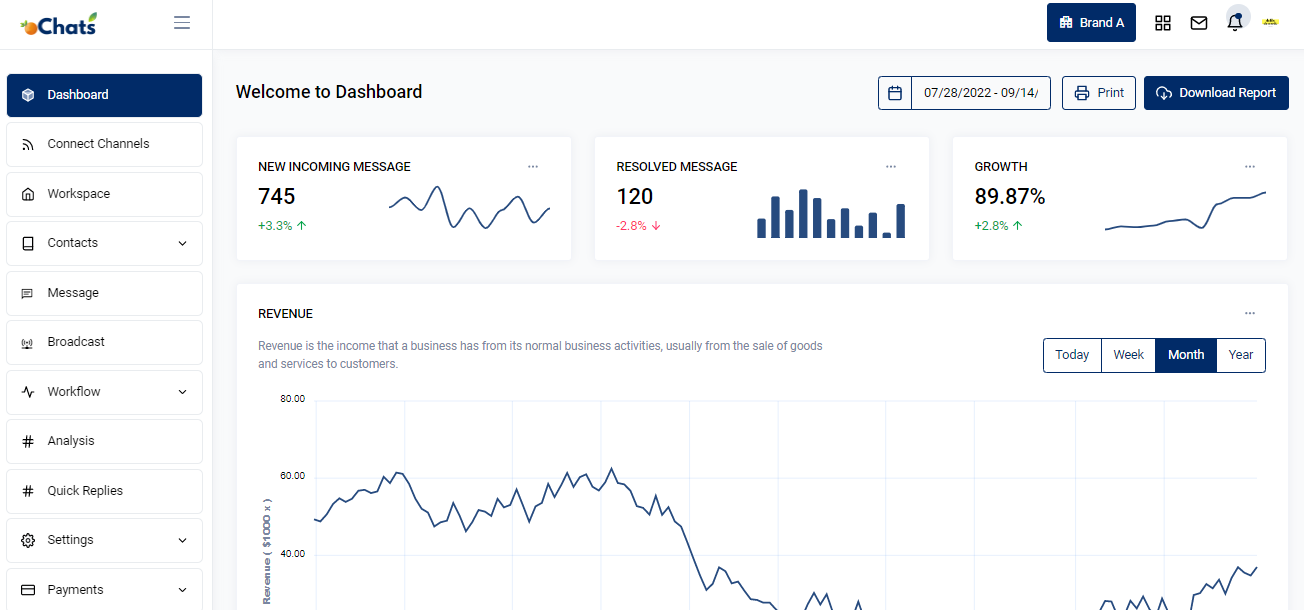
A helpdesk ticketing system turns every customer inquiry, whether it comes from WhatsApp, email, or live chat, into a trackable ticket. Each ticket records who’s handling it, its current status, and the full conversation history, so nothing gets lost between agents or channels.
Streamline Your Support with oChats
In today’s fast-paced digital landscape, customer expectations have never been higher. When a customer reaches out with a problem, they expect a swift, accurate, and personalized response. However, as your business grows, relying on shared email inboxes, sticky notes, or disjointed communication apps quickly becomes a recipe for disaster. Tickets fall through the cracks, response times plummet, and your support agents suffer from unnecessary burnout.
This is where the oChats Helpdesk Ticketing System transforms your operations. We have built a robust, intuitive, and highly scalable platform designed to simplify customer support, centralize your communications, and empower your team to deliver world-class service without the traditional overhead.
Whether you are a small business looking to upgrade from a cluttered Gmail inbox or a scaling enterprise tired of clunky, outdated enterprise software, our omnichannel support software is engineered to help you manage queries, automate tedious workflows, and boost team efficiency across the board.

The Hidden Costs of Poor Ticket Management
Before diving into the solution, it is crucial to understand the problem. Many businesses delay implementing a dedicated helpdesk ticketing system because they fear the transition will be too complex or too expensive. But what is the actual cost of not having one?
Lost Accountability
When multiple team members monitor a standard email inbox, the "bystander effect" takes over. Everyone assumes someone else is handling the customer's issue, leading to unacknowledged emails and angry clients.
Zero Context or History
Without a centralized system, if a support agent goes on leave, their knowledge leaves with them. When a customer follows up, a new agent has to ask the customer to repeat their entire issue—a guaranteed way to cause frustration.
No Meaningful Metrics
How fast is your team responding? What are the most common complaints? Without data, you cannot optimize. You are flying blind, unable to justify budget increases or identify areas where your product needs improvement.
Agent Collision
Two agents inadvertently replying to the same customer query at the exact same time makes your brand look uncoordinated and unprofessional.
oChats eliminates these pain points entirely.
Trusted by brands





Unlock the Benefits of Support Ticketing System for Your Business
Use Tag As Your Ticketing System
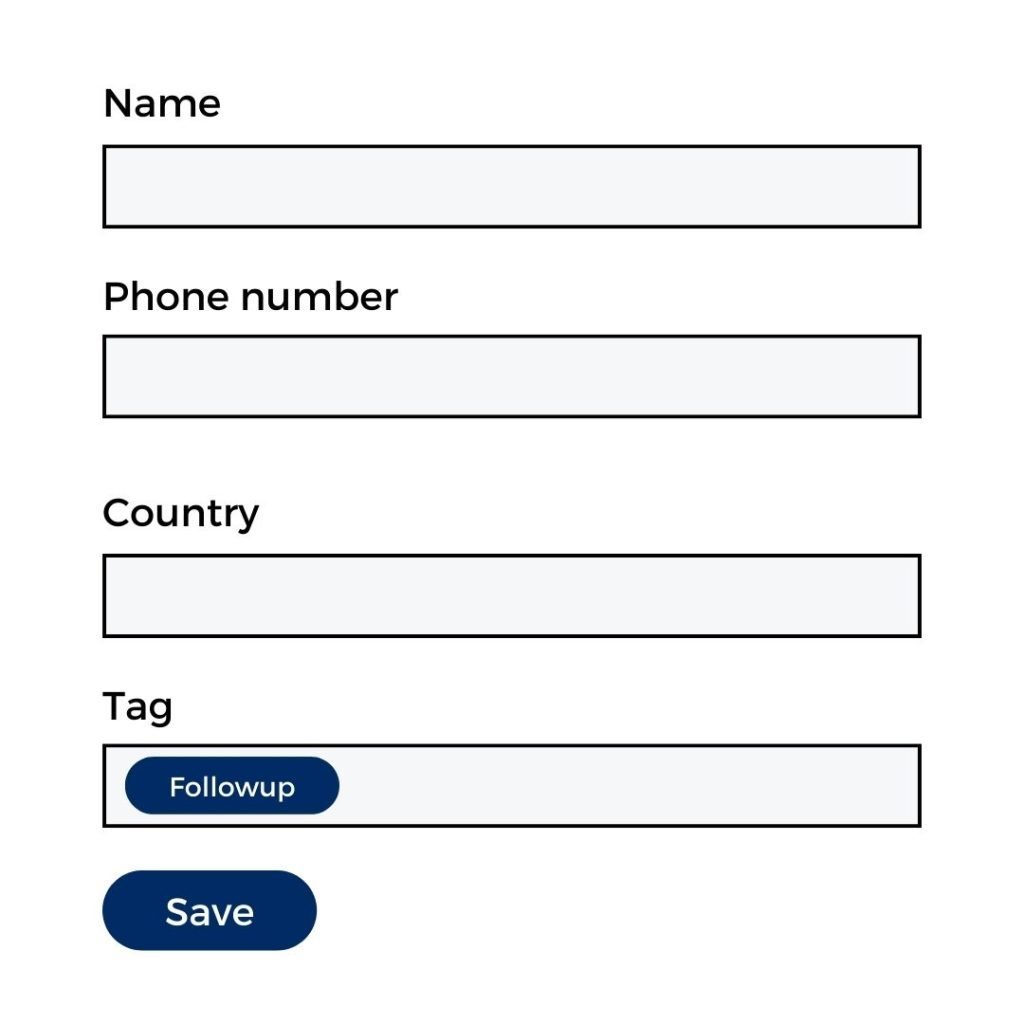
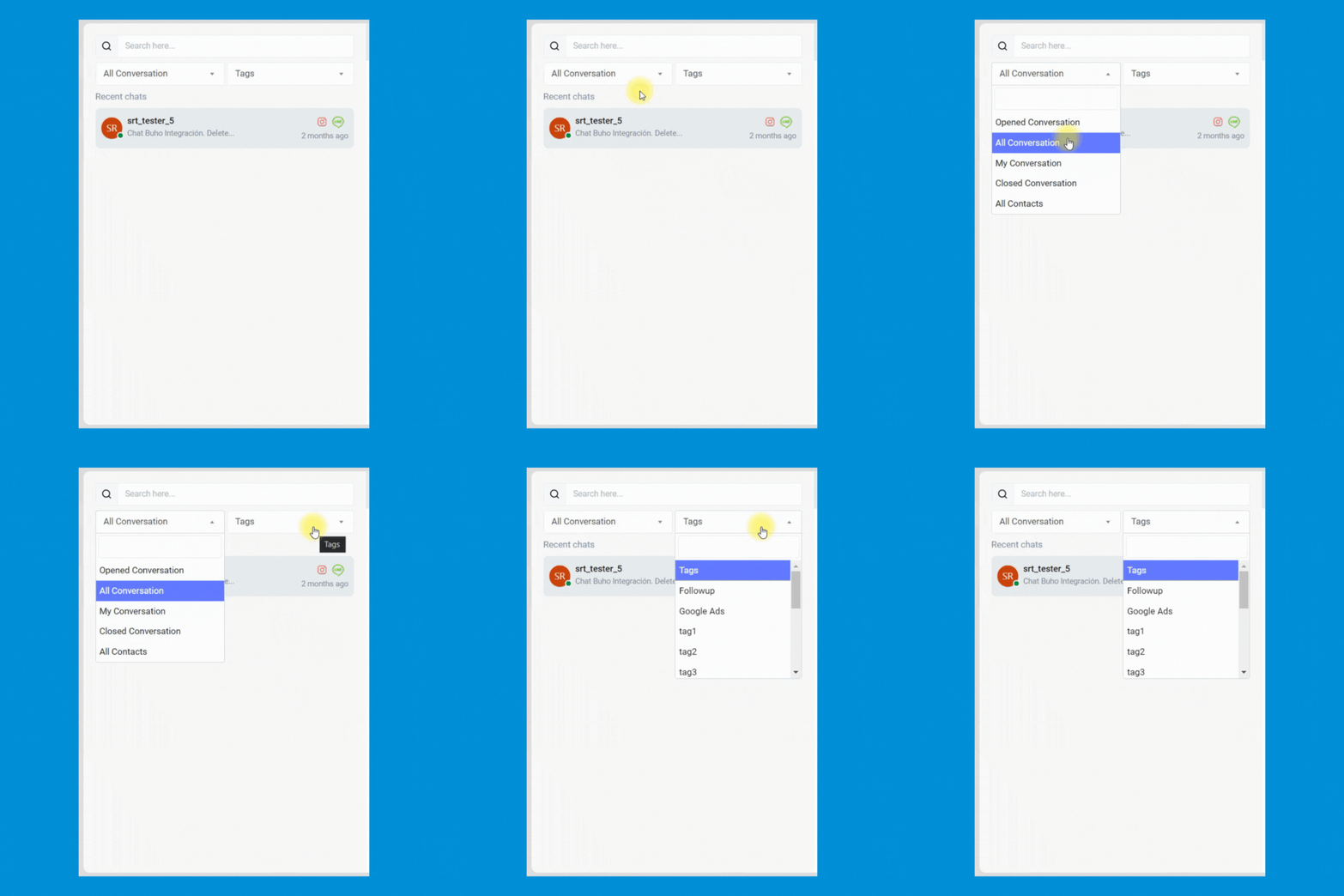
You can create your own tag label to manage all your customers & prospect. You can treat this tag management as your support ticketing system.
More Professional
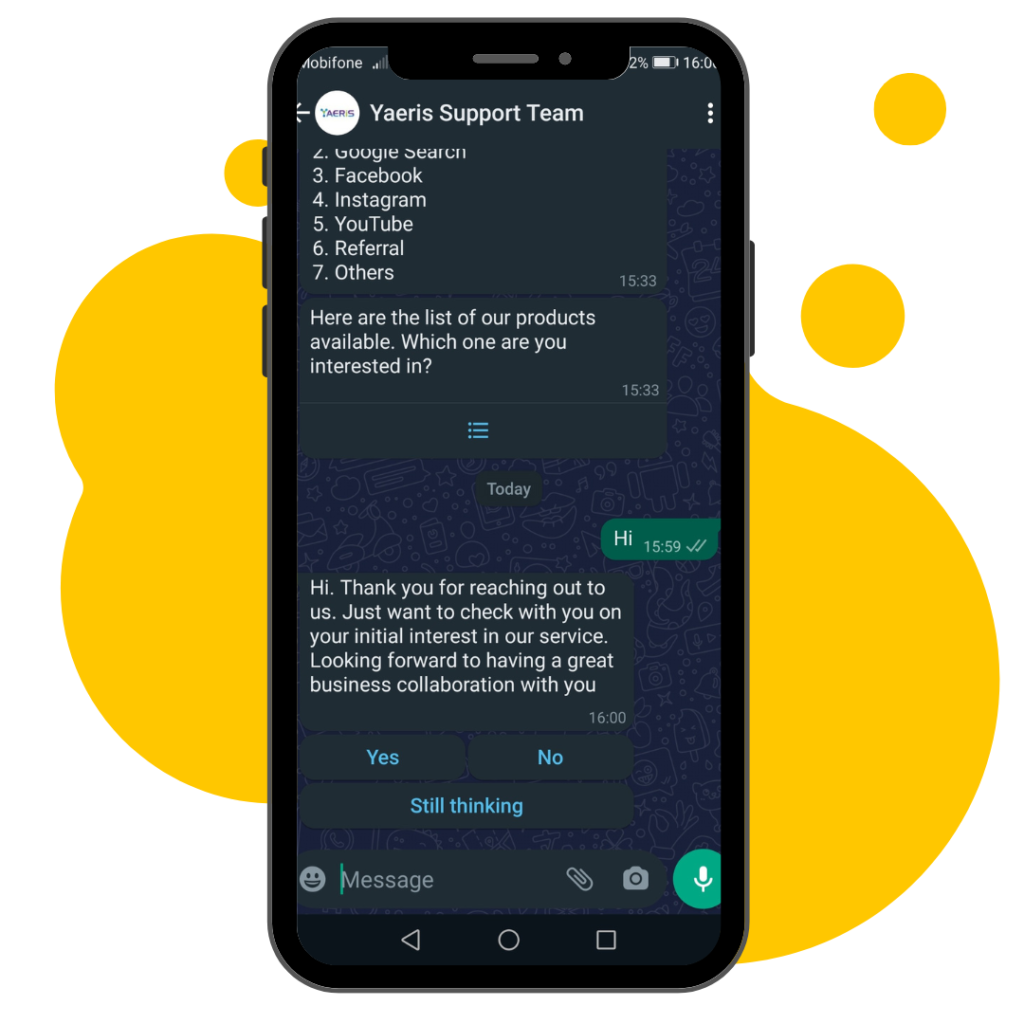
The WhatsApp button provides a more professional outlook to your visitors and customers which increase their confidence in your products and/or services.

Better User Experience
With the WhatsApp button inserted into WhatsApp messages, your visitors and customers will have a better user experience when they chat with your business on WhatsApp.
Core Features: How oChats Transforms Customer Support
Our helpdesk ticketing system is built around one core philosophy: Support should be effortless for the customer and intuitive for the agent. Here is how we make that happen:
Unified Multi-Channel Inbox
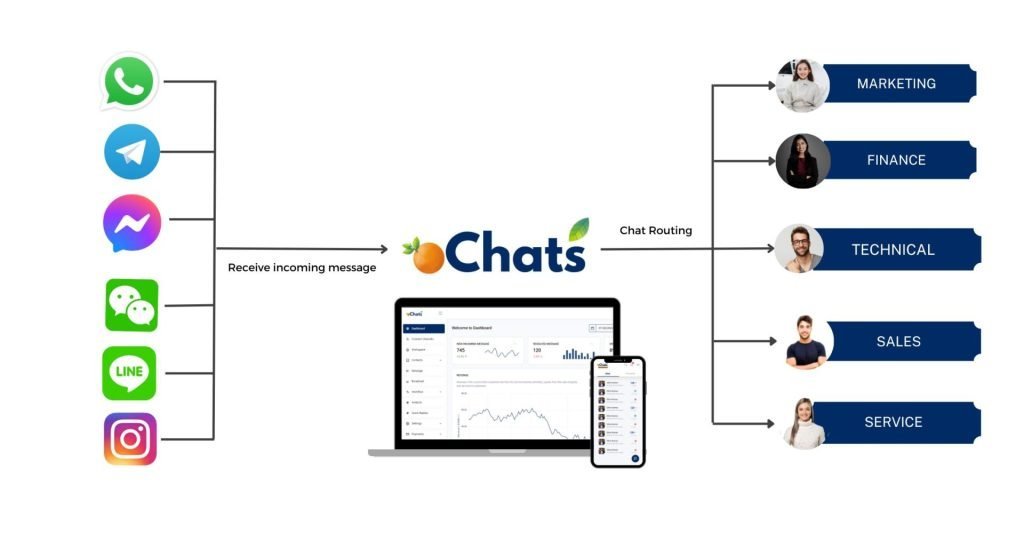
Customers want to contact you on their terms whether that is via email, live chat, WhatsApp, or social media. oChats consolidates every customer interaction into a single, unified dashboard. Your agents no longer need to switch between five different tabs to resolve issues. Every message becomes a trackable ticket.
Intelligent Ticket Routing and Automation
Stop manually assigning tickets. With oChats, you can set up custom automation rules based on keywords, sender priority, or specific channels. For eg, if a ticket contains the word "billing" or "invoice," the system automatically routes it to your finance department and assigns it a "High Priority" status. This drastically reduces triage time and ensures the right expert handles the query immediately.
Agent Collision Detection
Never send duplicate replies again. oChats provides real-time visibility into who is viewing and typing a response to a ticket. If Agent A is currently working on Ticket #1042, Agent B will see a visual indicator, allowing them to move on to the next task without duplicating efforts.
Canned Responses & Knowledge Base Integration
Your agents likely answer the same ten questions every single day. oChats allows you to create a library of pre-written, customizable canned responses. With just a few clicks, agents can insert detailed troubleshooting steps, policy explanations, or links to your self-service knowledge base, reducing response times from minutes to seconds.
Comprehensive Audit Trails and Ticket History
Every single action taken on a ticket is logged. You can see when the ticket was opened, who viewed it, internal notes left by other agents, and the full communication timeline. If an issue is escalated from Tier 1 support to a Tier 2 engineer, the engineer has 100% of the context required to solve the problem without asking the customer a single redundant question.
Advanced Analytics and Reporting
Stop guessing and start measuring. Ochats provides built-in reporting dashboards that track vital metrics such as First Response Time (FRT), Average Resolution Time, Customer Satisfaction (CSAT) Scores & Individual Agent Performance. You can use our reporting tools to identify recurring product issues. If you notice a 30% spike in tickets regarding a specific feature, you can escalate that data directly to your product or development team.
Wait! There are more functions!
Yes, REALLY! More functions to make your life easier!
1 contact, 1 story
1 contact contains every message, email, web chat & internal discussion. All functionalities are built for you to manage your story well.
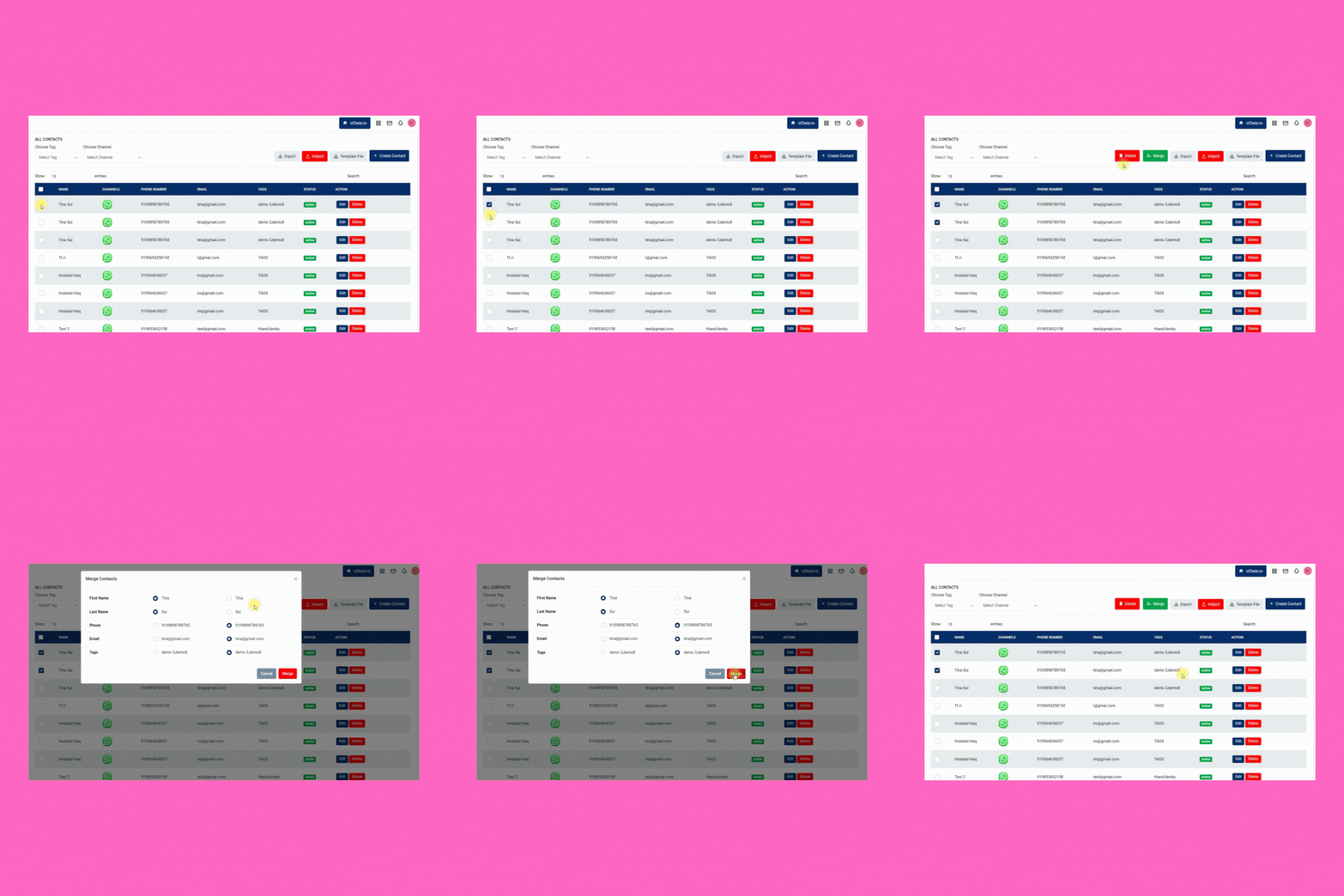
Merge the same contact across different messaging apps for better management. Keeping every contact clean and organized.
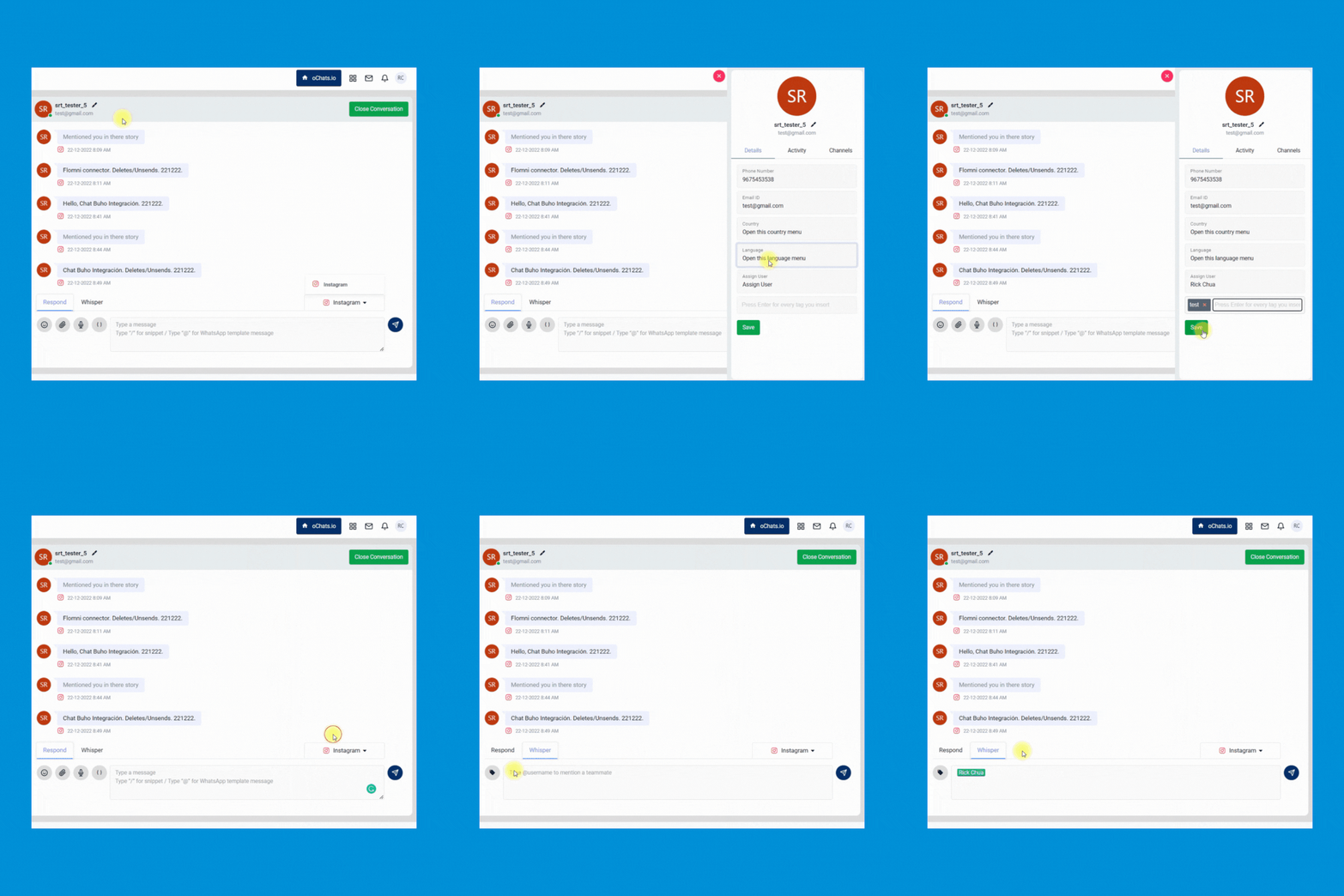
Enable your team to quickly transfer the conversation from 1 person to another and leave an internal note for reference purposes.
Manage every contact easily by inserting custom tags. Never miss any follow-up anymore.
Broadcast messages with 100% delivery rate
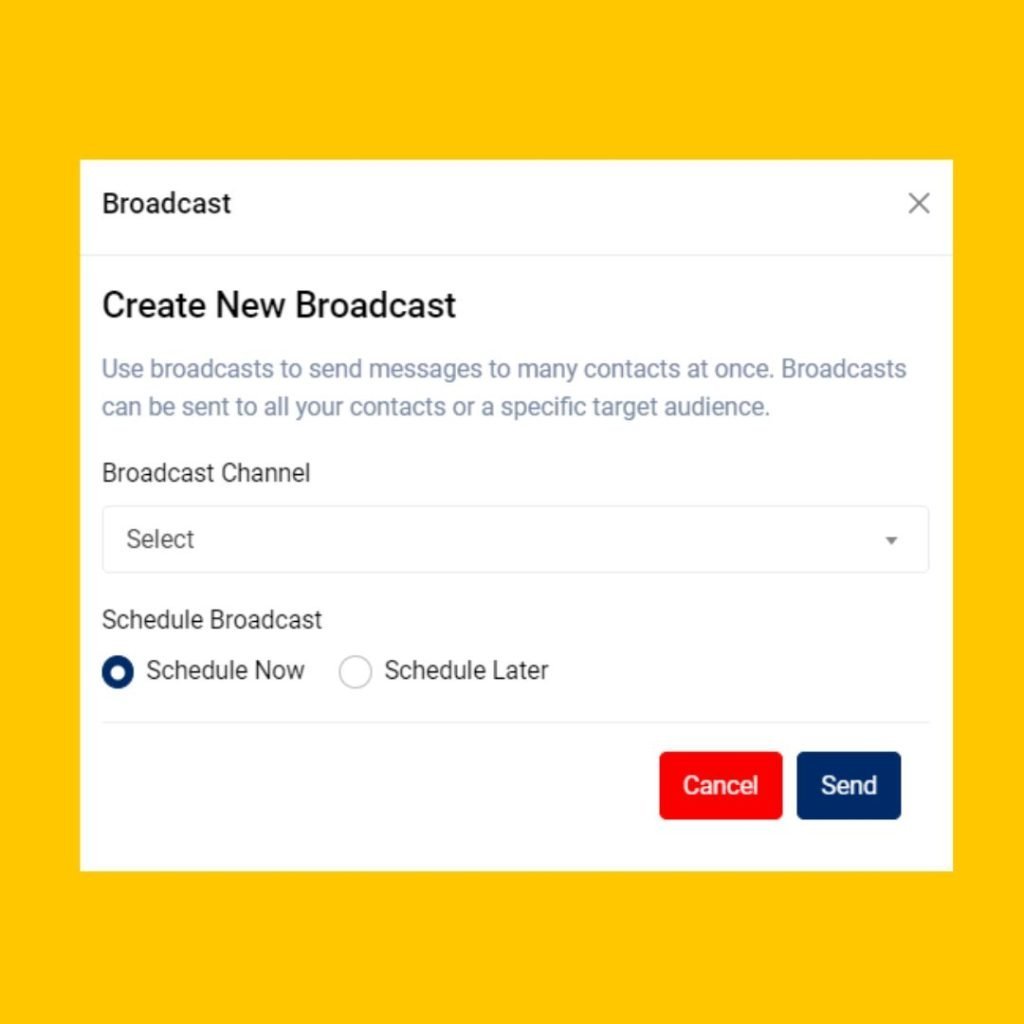
Send PROMOTIONAL MESSAGES with WhatsApp API provides a 100% delivery rate & instantaneous delivery.
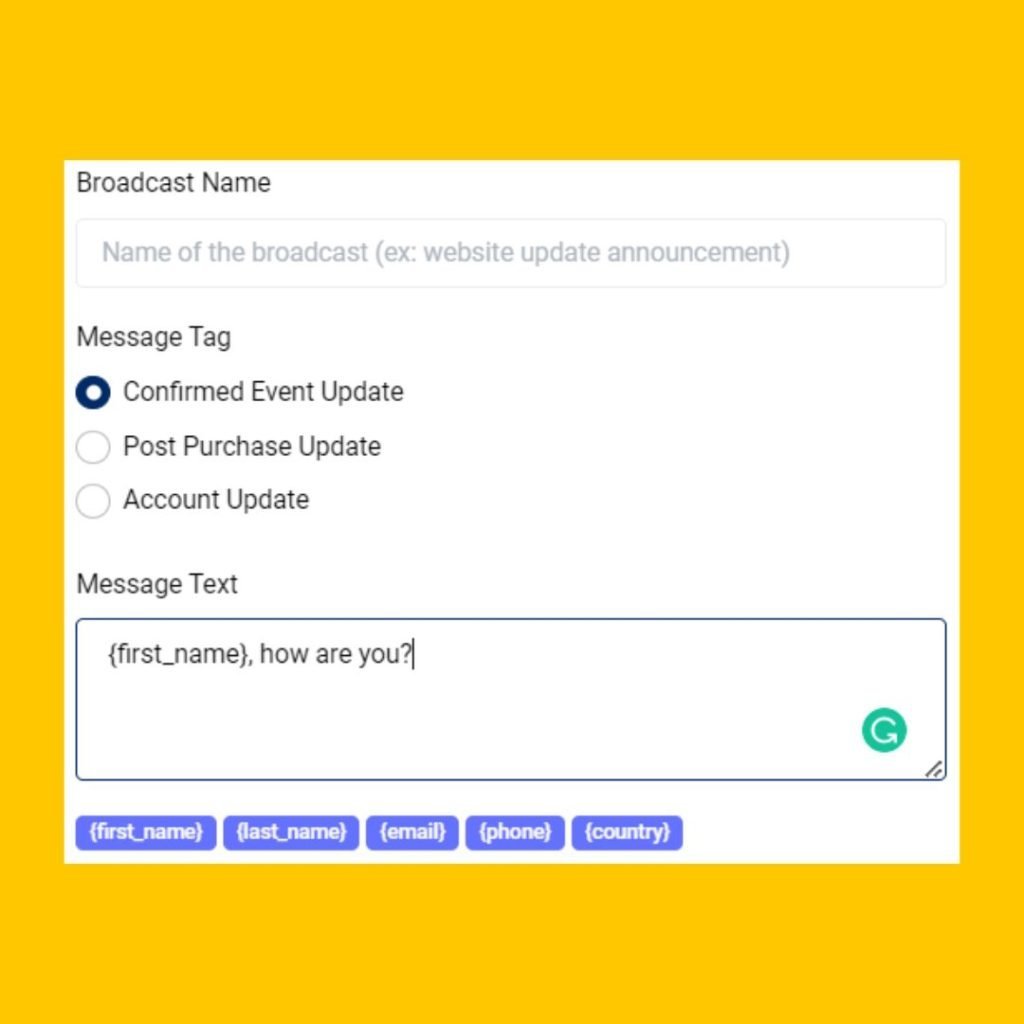
Enable your team to launch and schedule any marketing easily. Your team can even include the button in the WhatsApp message to improve the clickthrough rate of your marketing campaign.
Allow your team to send personalized marketing messages to increase marketing engagement.
Send highly personalized messages to targeted prospects and customers to the right messaging app.
Leverage the unique traits of each channel. Make the most of every message with features like mixed media, templates and tags.
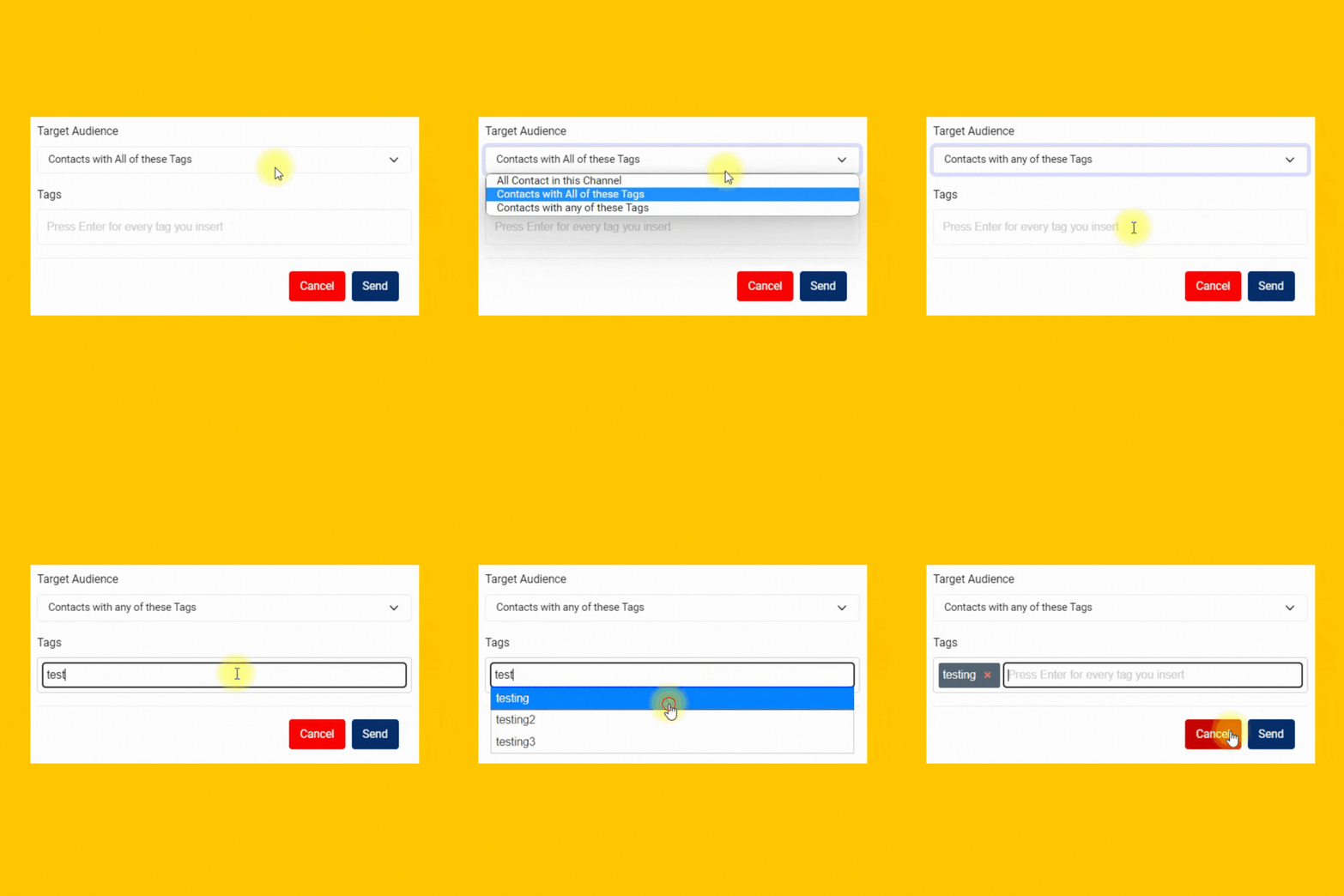
Multiple Team Members Access
Invite your colleagues to manage all your business inquiries & contacts.

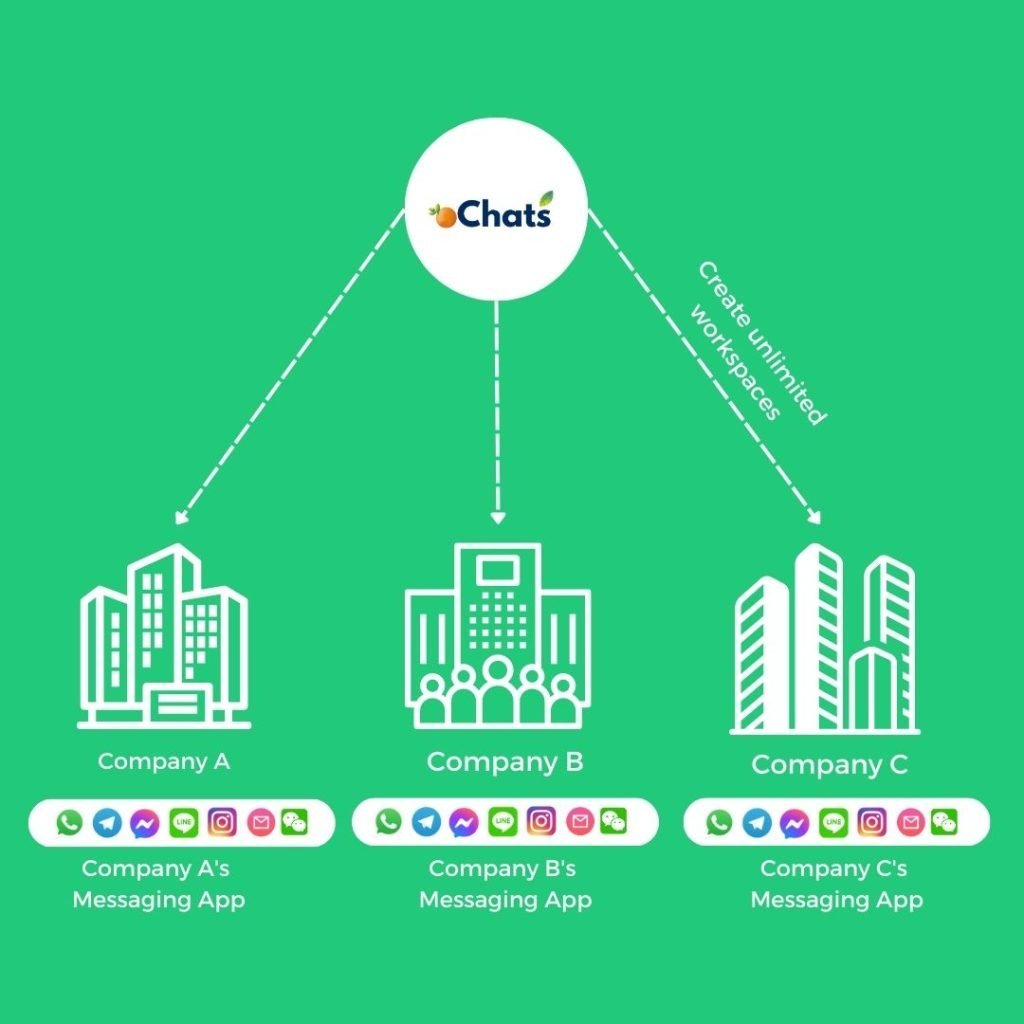
1 Platform, Unlimited Companies
Manage all incoming messages under your companies and brands using a single platform.
Managing all companies can be very expensive. We believe in providing real value to all businesses at an affordable rate. That’s why we have decided to provide unlimited workspaces for any businesses to manage all companies in 1 platform. Super convenient!
Don’t worry! Every workspace has its own unique contact module, message module, user permission module and more.
1 Platform, Unlimited Contacts From Different Messaging Apps
Never worry about expensive charges because of the high volume of contacts.
Every contact will be saved with the source of channels it comes from. Everything will be properly documented for your convenience.
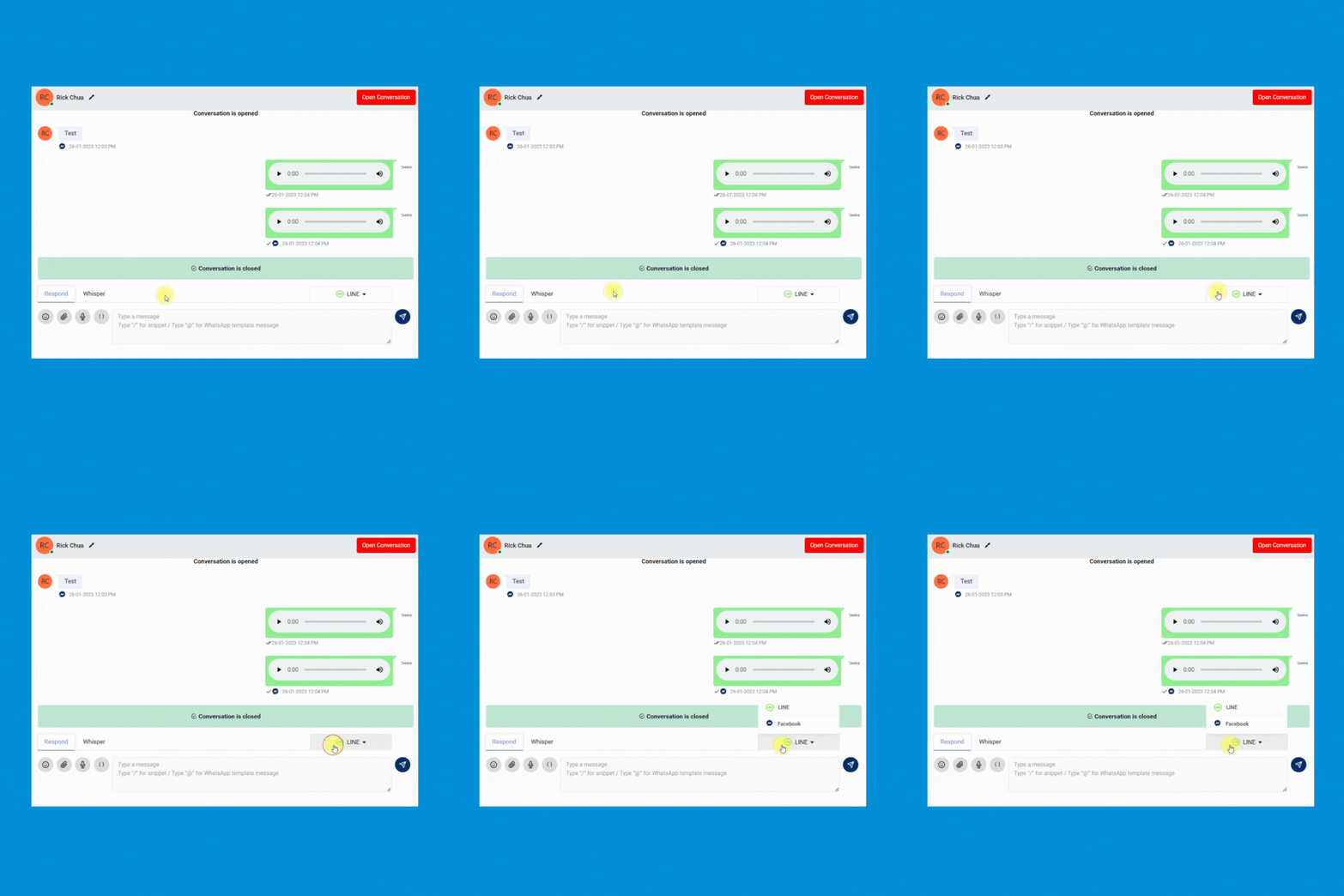
2 conversations of the same person from different messaging apps can be merged so your team can have an organized conversation and contact information from 1 person.
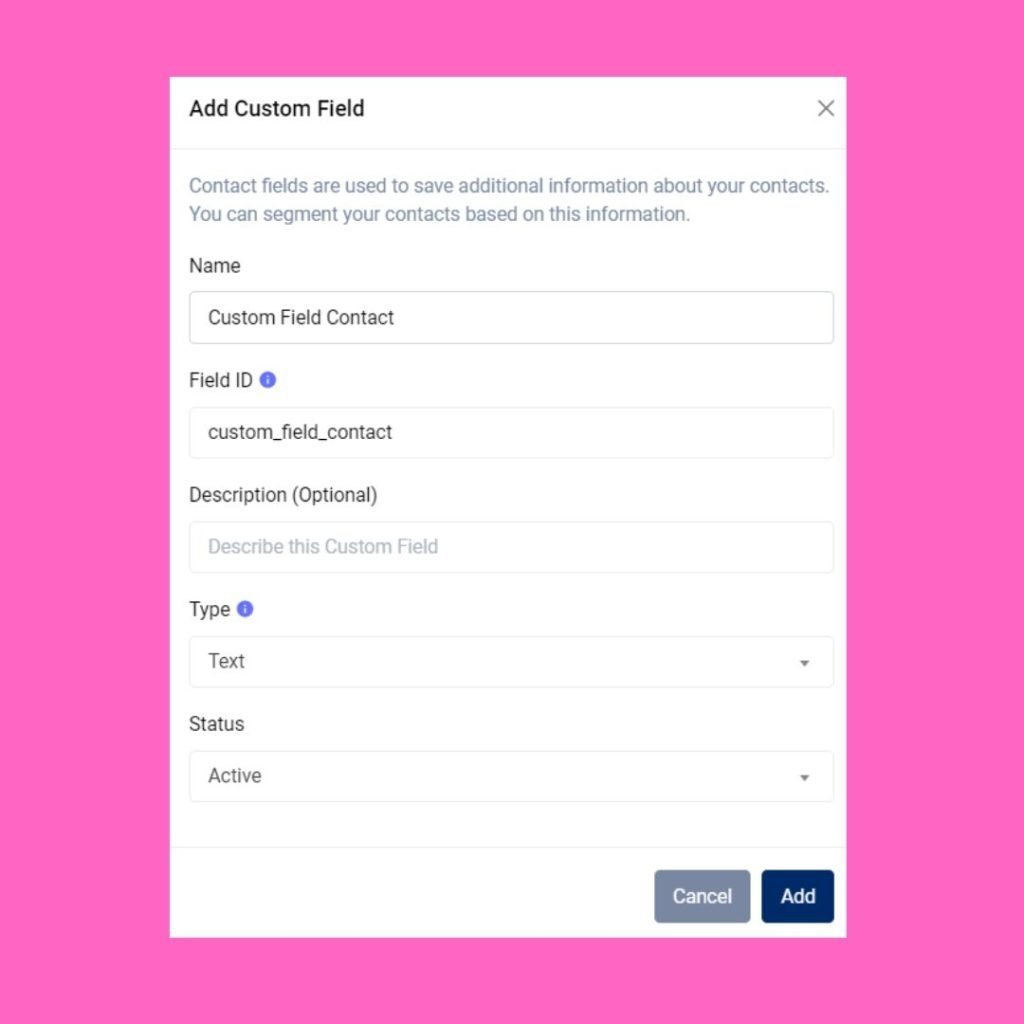
Create any contact field easily. Having a custom contact book designed specifically only for you.
Autoreply messages with workflow automation
Build a rule-based CHATBOT to free up your team’s time
Build a 24/7 chatbot by using automated rules created within workflow automation.
Route every conversation to correct pre-assigned team members efficiently & accurately.
Tag every contact with a specific tag. These tags can be used for filtering all conversations easier in the Contact module.
Stop wasting time to qualify your leads one by one. Automate it by using workflow automation.

Automated Message Notification
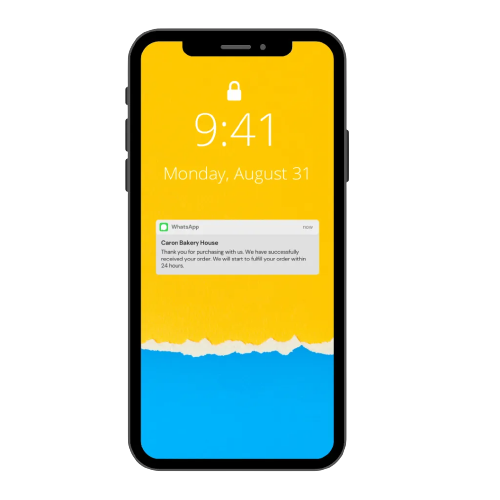
Integrate/Install WordPress plugin / Shopify app in your website in order to send automated messages such as:
- Order notification message
- Abandoned cart notification message
- Refund order notification message
- Return order notification message
- Reminder after X days if payment is still not completed yet
- Shipping receipt notification message
- Successful appointment booking notification message
- Cancelled appointment booking notification message
- Appointment reminder notification message
- and many more.
Appointment Booking Form
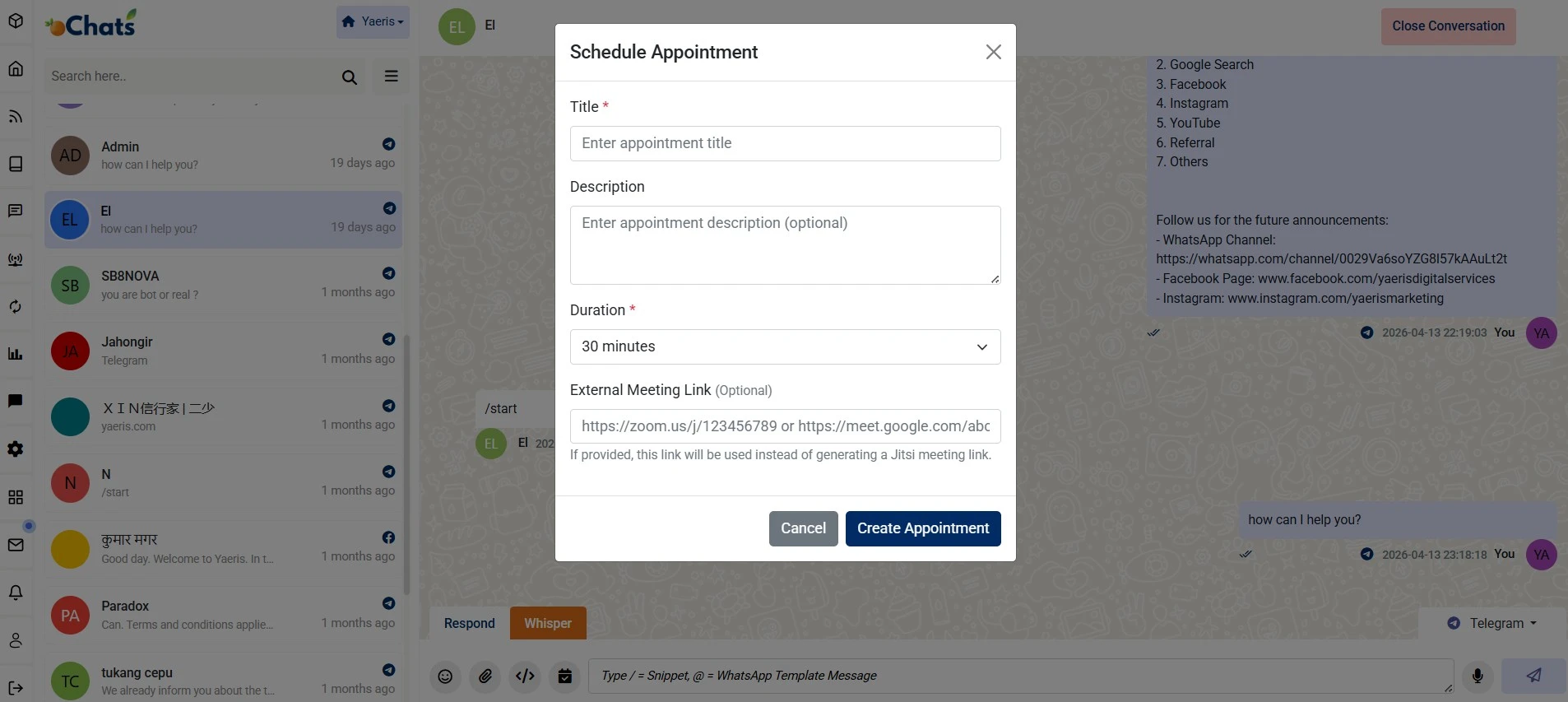
This feature allows agents to seamlessly schedule virtual meetings directly within the oChats.io messaging interface. By integrating scheduling into the active chat workflow, businesses can convert inquiries into confirmed appointments without switching between multiple apps.
Key Functional Components
Allows agents to define a clear Title and Description for the meeting to ensure both parties are aligned on the agenda.
Features a customizable Duration dropdown to allocate appropriate time slots for different types of consultations or support sessions.
Native Integration automatically generates a Jitsi meeting link by default for immediate video conferencing. External Links provides an External Meeting Link field for agents who prefer using third-party platforms like Zoom or Google Meet.
Once configured, the Create Appointment action triggers the scheduling process, keeping all interaction history within the unified omnichannel dashboard.
Business Benefits
Eliminates the “back-and-forth” of checking calendars and sending separate meeting invites.
Works across various connected platforms (such as Telegram or Facebook) while maintaining a centralized record in the Yaeris ecosystem.
Provides a structured way to manage client time, improving the overall lead-to-customer experience.

Supervisor Dashboard with Helicopter View
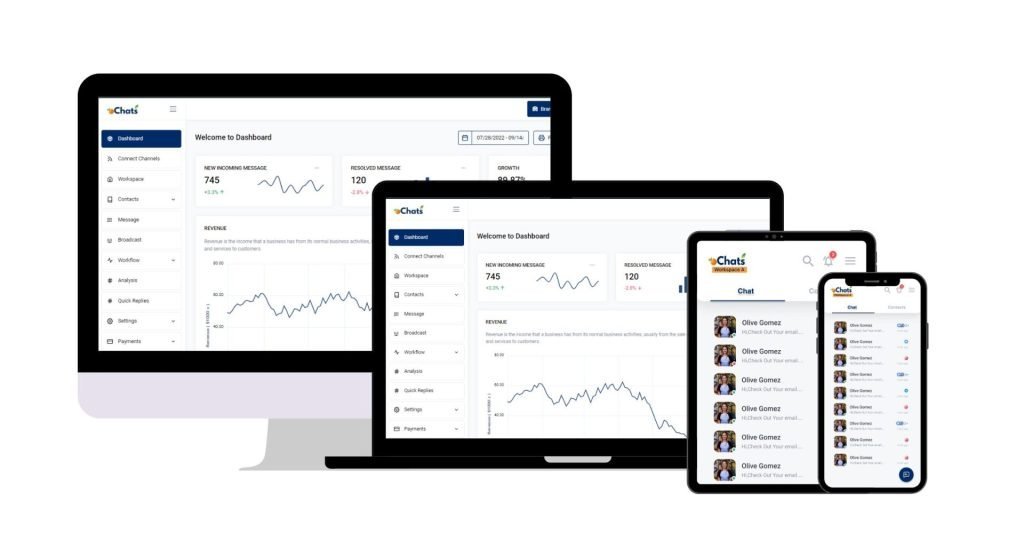
Save your time juggling from 1 messaging app after another. Have a Helicopter View with oChats.io. View overall health of your communication chat channels in a glance — new incoming messages, resolved conversations, inquiry growth, and total conversation counts, all on a single page.
Analyse all conversations
Gain long-view perspectives on team, conversation and overall messaging performance. On a single page, learn which Users are exceeding expectations, conversation response and resolution time trends.
Determine user permission
Assign unique permission for every team member by giving permission access on certain modules only.
Full control over everything
Having a full control on every team member's access has never been easier before. Revoke their access if user has resigned from your company.
Connect All Messaging Apps in 1 Platform
Never miss any lead anymore

1 Messaging Platform & Access By Everyone
No more switching between teams, and messaging apps.
All Channels, 1 Platform.
Why Choose oChats Over Legacy Systems?
The market is filled with legacy helpdesk software that feels like it was designed in the early 2000s. They are notorious for being bloated, difficult to navigate, and incredibly expensive. We built Ochats to be the exact opposite.
| Feature/Aspect | Traditional Legacy Helpdesks | oChats Helpdesk Ticketing System |
|---|---|---|
| User Interface (UI) | Clunky, gray, and requires weeks of training to understand. | Modern, clean, and intuitive. Your team can learn it in an afternoon. |
| Setup Time | Weeks of onboarding and complex configuration. | Deployed and ready to use in hours. |
| Pricing Structure | Nickel-and-dimes you for basic features like reporting or portals. | Transparent, flat-rate pricing with no hidden fees. |
| Customer Experience | Forces customers to log into rigid portals to get help. | Seamless integration. Customers just reply to emails or chats naturally. |
Simple & Straightforward Sign Up Process
Support Ticketing System
Sign Up / Subscribe
Navigate to the oChats portal to register for a new account or initiate a free trial.
Connect to Channels (Integration)
Head to the channel integration module to sync your preferred communication platforms.
Upload Contacts
Import your existing customer databases, leads, or opt-in contact lists directly into the CRM to prepare for direct messaging and broadcast campaigns.
Invite Team Members
Add team members or multiple agents, assigning appropriate roles and permissions to manage incoming chats.
Start Chatting
With your channels connected and contacts loaded, your unified inbox is active. You can now receive incoming inquiries, route chats to team members, and manage multi-channel conversations entirely from a single platform.
Let’s Go To The Future
What happens after you adopt this structure?

Manage everything at scale
You can invite any number of employees to manage and reply to thousands of inquiries at scale easily. No more missing out on any potential leads which could contribute to your actual sales!
Sync Across Device
Available in iOS & Android
Reply on-the-go
Now you can reply to your business messages at anytime and anywhere. Download mobile app now.
Download mobile app now

Enterprise Security Protection
Your data hosts at Amazon Web Service
Data Secured
Your data is secured by AWS data protection protocol. AWS data protection services provide encryption and key management and threat detection that continuously monitors and protects your accounts and workloads.
AWS Threat Detection & Continuous Monitoring
AWS identifies threats by continuously monitoring the network activity and account behavior that might harm your data
AWS Compliance & Data Privacy
AWS gives you a comprehensive view of your compliance status and continuously monitors your environment using automated compliance checks based on the AWS best practices and industry standards your organization follows.
SSL Encryption
oChats data is encrypted both when it is sent to and from our servers as well as it rests.
Permission Access
oChats lets you decide who can access to your platform. You can also assign the level of access a person can access
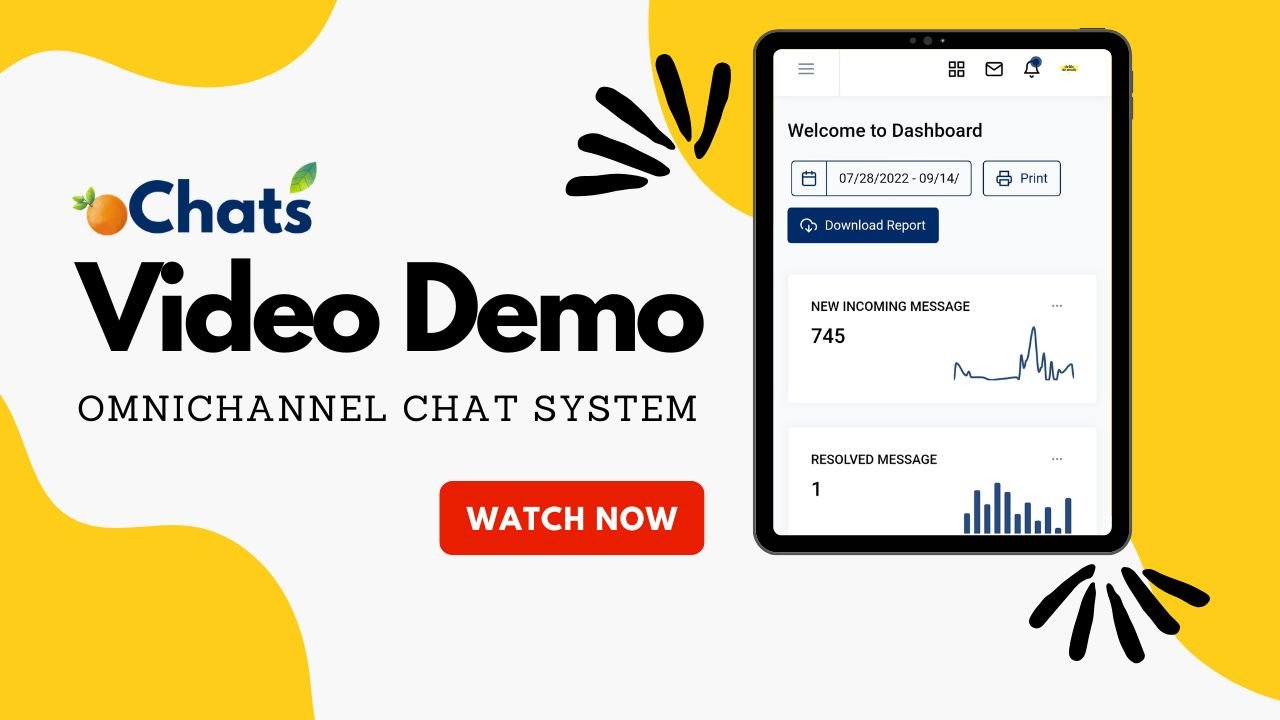
Watch oChats.io In Action
Video demo
Frequent Asked Questions
We designed our system to remain invisible to the customer. They don’t have to log into a frustrating portal to check their status. They simply send an email or a WhatsApp message, and they get an email or WhatsApp message back. The interface remains warm and conversational on their end, while giving your team all the heavy-duty tracking and triage tools on the back end.
Absolutely not. oChats is a true out-of-the-box solution. Setting up a shared inbox takes less than five minutes. Our workflow automations use a simple “If This, Then That” visual builder. No coding experience is required.
oChats acts as your company’s institutional memory. Every ticket is securely archived with its complete communication history, internal notes, and file attachments. If an agent goes on vacation or leaves the company, another agent can pick up their tickets immediately, read the history, and continue supporting the customer without missing a beat.
We believe data is essential for teams of all sizes. oChats includes comprehensive reporting and analytics right out of the box, allowing you to track bottlenecks and agent performance without arbitrary upcharges.
Yes! Email-to-ticket creation is a native, seamless feature in oChats. A customer simply shoots an email to your designated support address, and our system automatically parses it, creates the ticket, grabs the user’s information, and places it into the queue. It is the easiest way to ensure 100% user adoption.
You can find out this information on our pricing page. As for WhatsApp template fees, you can refer to WhatsApp official website.
Ready to Streamline Your Support?
Stop letting bad software slow your business down. Your team deserves tools that make their jobs easier, and your customers deserve support that is fast, accurate, and human.
Simplify customer support with oChats’ helpdesk ticketing system. Manage queries, automate workflows, and boost team efficiency starting today.