Live Chat Software That Turns Website Visitors Into Customers
Most website visitors leave without saying a word. Live chat software changes that, giving your team a direct line to answer questions, build trust, and close sales the moment a visitor shows interest. oChats brings you a live chat platform built for Malaysian businesses that want faster response times, happier customers, and more revenue from the traffic they already have.
What Is Live Chat Software?
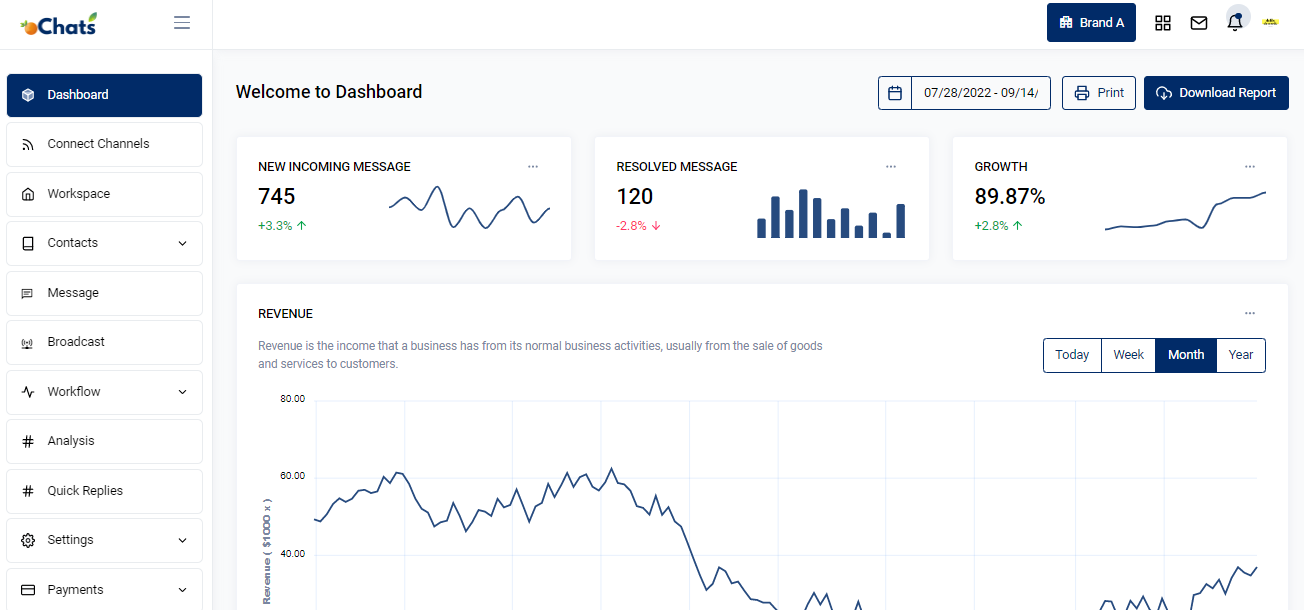
Live chat software is a tool that lets your support and sales team communicate with website visitors in real time through a chat widget embedded directly on your site. Instead of waiting hours for an email response or sitting through a phone queue, your customers type a question and get an answer in seconds while they are still on your page, still interested, and still ready to act.
But modern live chat goes far beyond a simple chat box. A proper live chat platform handles automated greetings, smart agent assignment, conversation routing, canned responses, SLA tracking, and seamless escalation to a helpdesk ticketing system when issues need follow-up. oChats combines all of this in one shared inbox alongside WhatsApp, Instagram, Facebook Messenger, and every other channel your customers already use.
The result: your team spends less time switching between apps and more time actually helping people. Every conversation is captured, tracked, and tied to a customer profile so no inquiry ever falls through the cracks.
Join 1,000+ successful organisations using oChats
Key Features of oChats Live Chat Software
We built oChats live chat to cover every moment of the customer conversation from the first hello to post-resolution follow-up. Here is what your team gets out of the box.
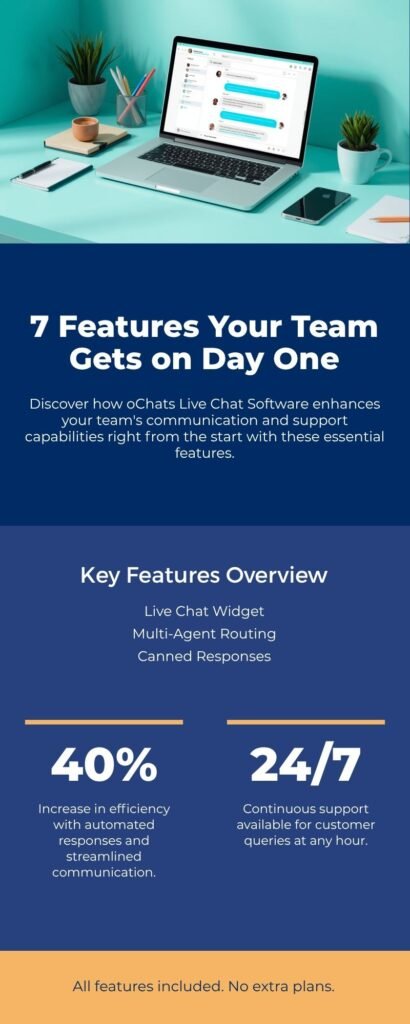
Live Chat Widget for Your Website
Add a fully branded live chat widget to any page on your website in minutes no developer needed. The widget is mobile-responsive, loads fast, and supports custom colours, greetings, and availability hours so it matches how your business operates.
Multi-Agent Support With Smart Routing
Assign unlimited agents to your live chat inbox. Set routing rules to distribute conversations by team, language, product area, or workload. When a chat comes in, oChats automatically assigns it to the right agent so no visitor waits and no agent gets overwhelmed.
Canned Responses and Quick Replies
Agents handle the same questions dozens of times a day. oChats lets you build a library of pre-written responses to common questions product availability, pricing, return policy, operating hours. One keystroke, perfect reply. This alone cuts average response time by 40% or more.
Helpdesk Ticketing Integration
Not every issue gets resolved in a single chat session. When a conversation needs follow-up, agents convert it into a support ticket with one click. The ticket carries the full chat history, customer details, and assigned priority so nothing gets lost between shifts or teams. This is where live chat software meets your full helpdesk software operation.
Customer Service Automation
Deploy rule-based automations to handle repetitive queries 24/7 even when your team is offline. Set up automatic greetings, FAQ responses, and lead qualification flows. When the query is too complex for automation, the conversation transfers to a live agent instantly with full context intact. This is customer service automation that actually works for real businesses.
Full Conversation History and Contact Profiles
Every chat is saved to the customer's contact profile in oChats. When that same customer comes back whether via live chat, WhatsApp, or Instagram, your agent sees every previous conversation, purchase note, and internal tag. No more asking customers to explain themselves twice.
Analytics and Supervisor Dashboard
Track the live chat features that matter most to your business: average response time, chat volume by hour, agent performance, CSAT scores, and unresolved ticket rate. The supervisor dashboard gives team leads a helicopter view of everything happening in real time so you can coach agents, spot bottlenecks, and allocate resources where they are needed most.
How to Add oChats Live Chat to Your Website
Getting oChats live chat running on your website takes less than 30 minutes. Here is the exact process:
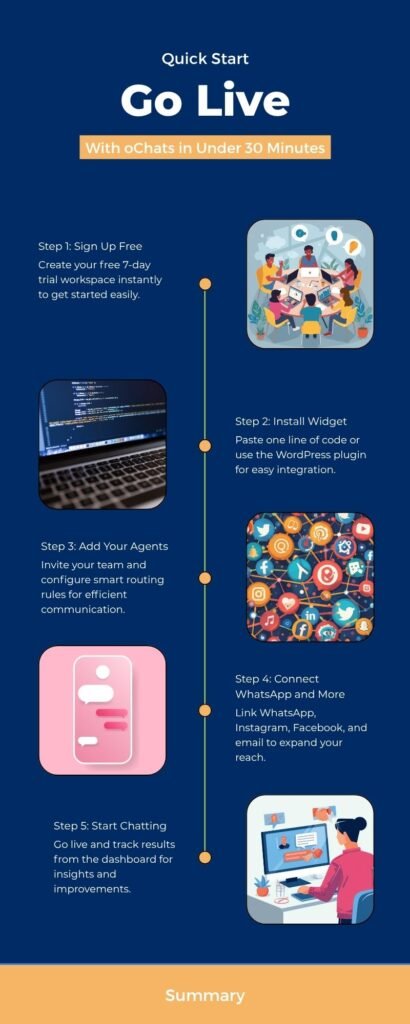
Step 1: Sign up and create your workspace
Register for a free 7-day trial, no credit card required. Your workspace is ready instantly.
Step 2: Install the live chat widget
Copy a single line of embed code and paste it into your website header, or install via the oChats WordPress plugin. The widget appears on your site immediately.
Step 3: Set up your team
Don't stop at WhatsApp. Manage Telegram, Facebook Messenger, Instagram, LINE, and WeChat from the exact same interface.
Step: 4 Connect your other channels
Link your WhatsApp Business API, Facebook Messenger, Instagram, and email. All messages, including live chats, now flow into one shared inbox.
Step 5: Start chatting and track your results
Go live. Monitor response times, CSAT scores, and conversion rates from the analytics dashboard. Refine your routing rules and canned responses as your team grows.
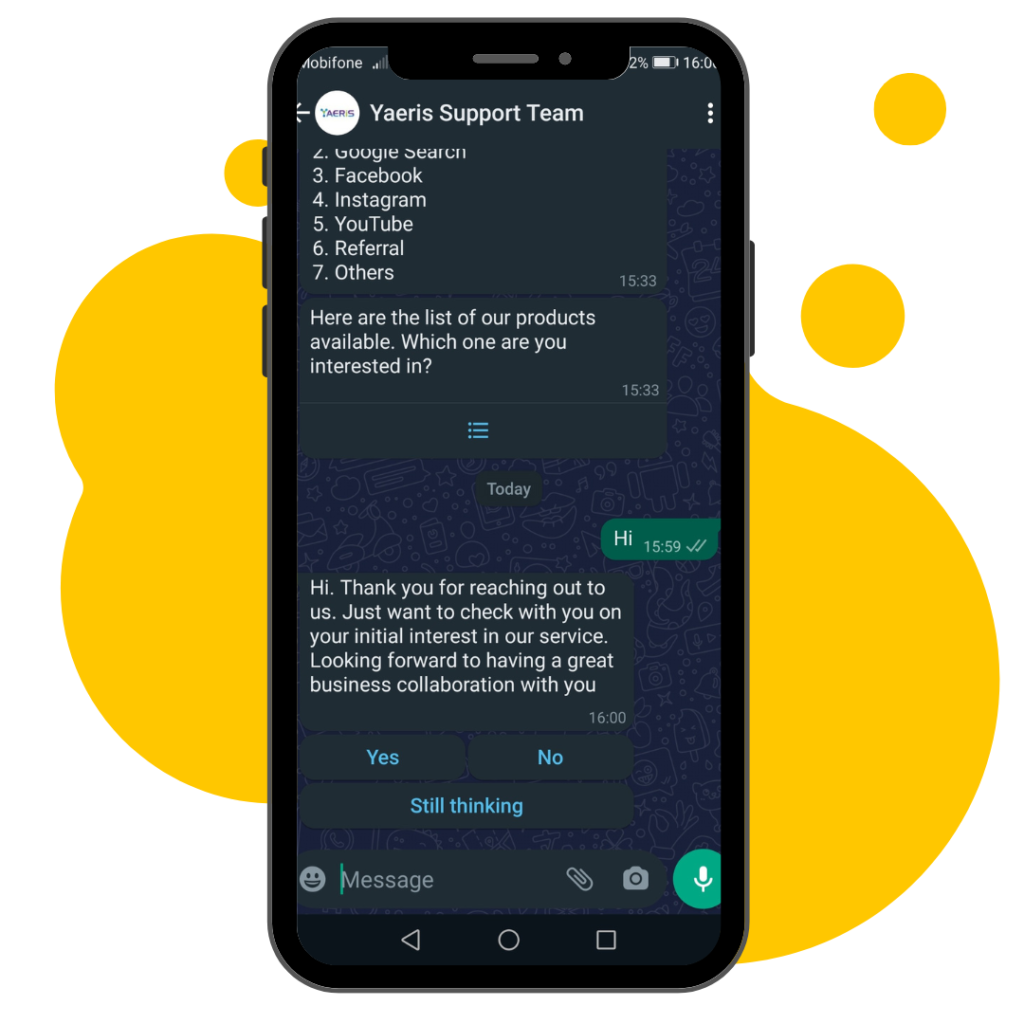
Responsive Reply With WhatsApp Button
Redesign how you reply to your customer so you can portray a better brand positioning. Also, increase customer confidence in your goods & services.

Automate Customer Service FAQs
Automating all types of FAQs starting from understanding the questions posed by customers/visitors. Train your chatbot to recognize, understand and diagnose the questions.

Reply With Automated WhatsApp Live Chat
Build a chatbot within your WhatsApp number. This chatbot is able to capture leads and answer all the questions automatically anyone has for your company.
Wait! There are more functions!
Yes, REALLY! More functions to make your life easier!
1 contact, 1 story
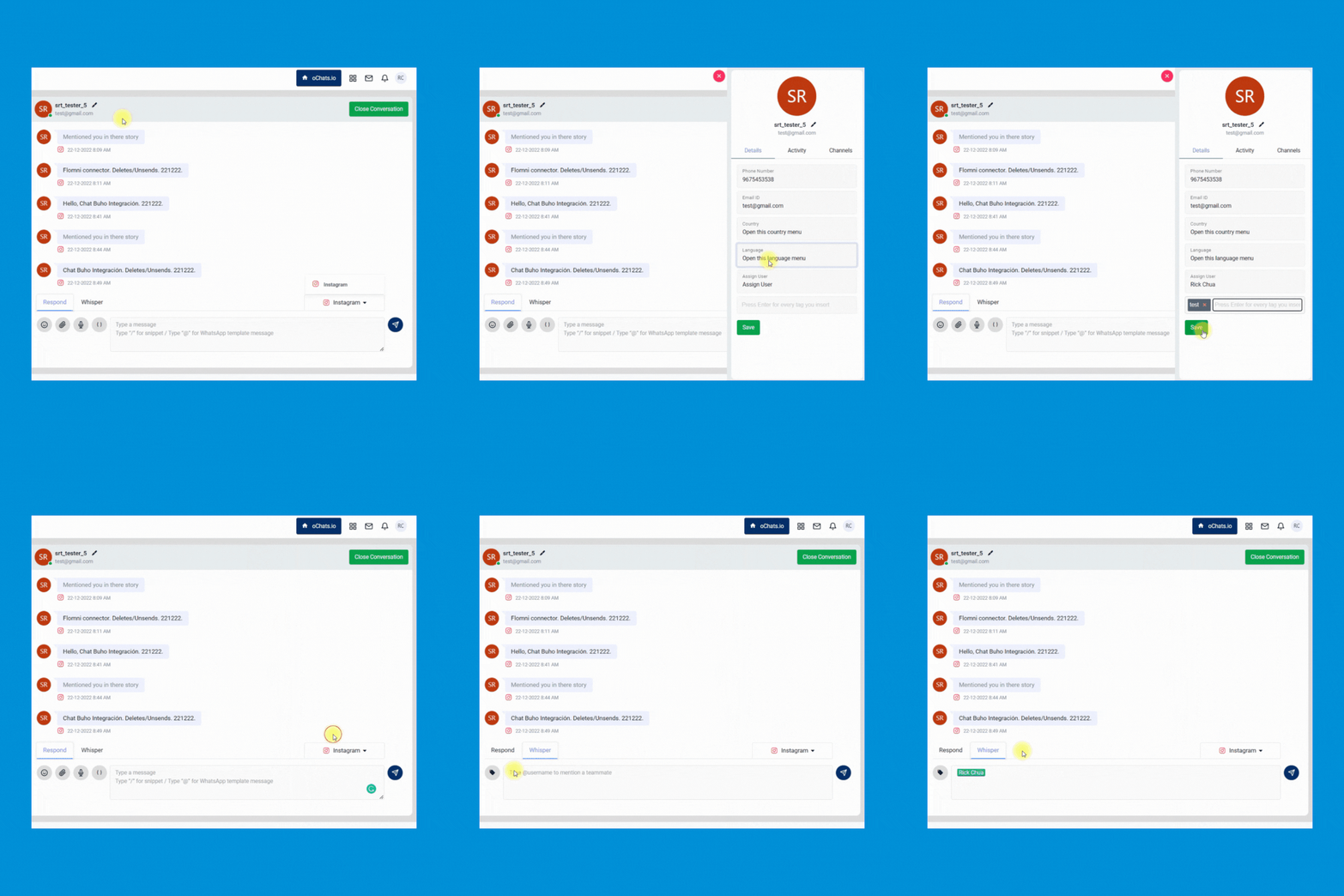
1 contact contains every message, email, web chat & internal discussion. All functionalities are built for you to manage your story well.
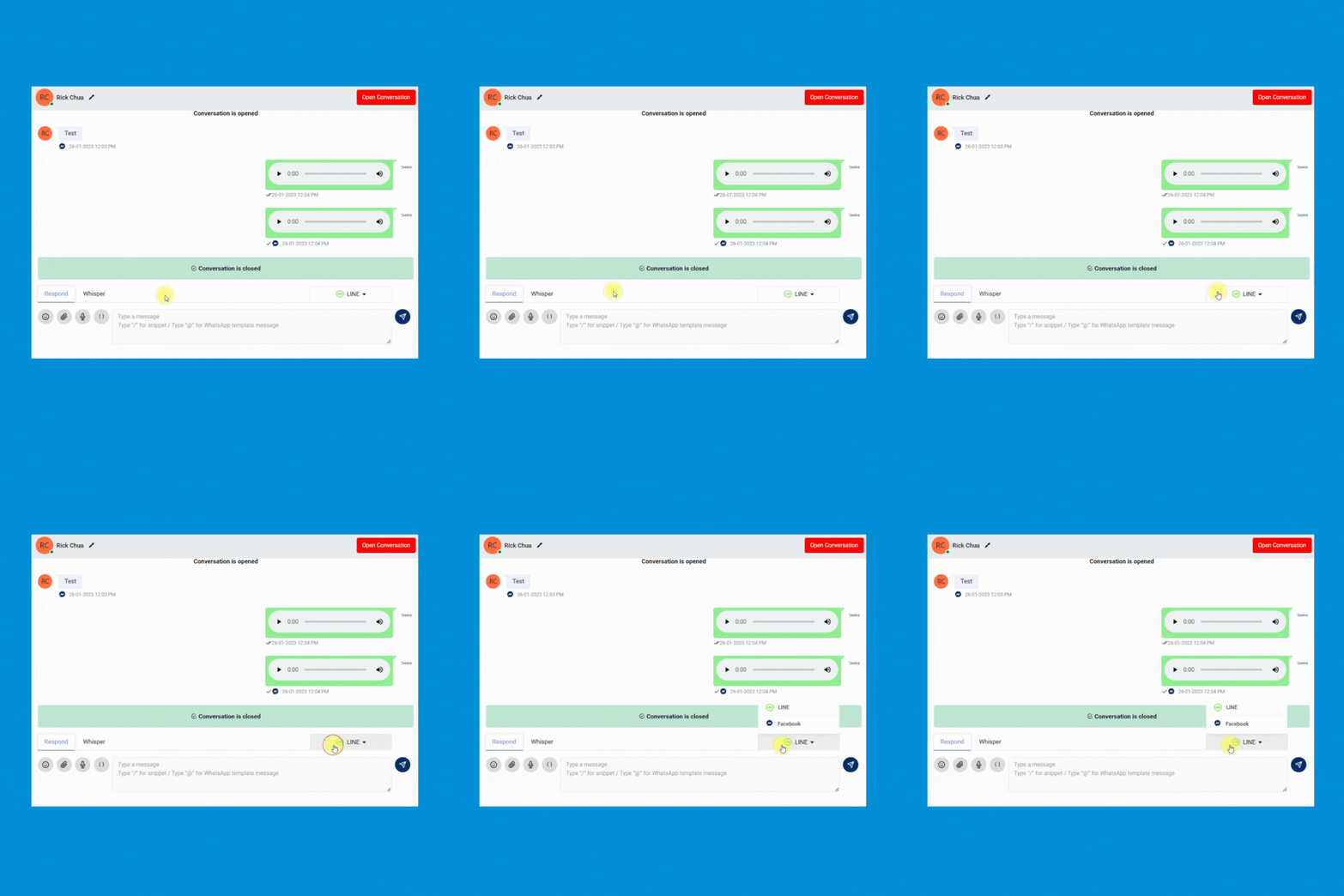
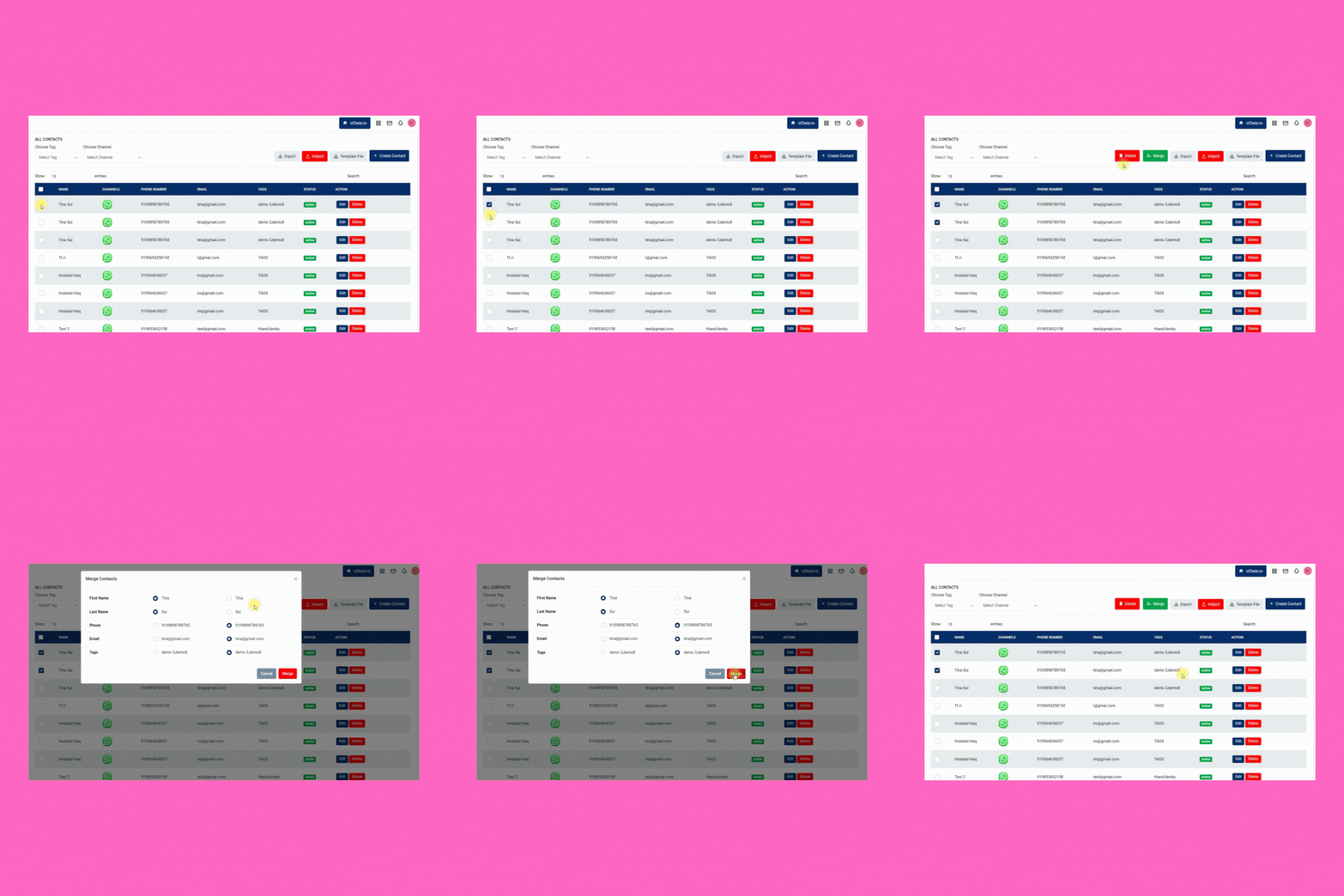
Merge the same contact across different messaging apps for better management. Keeping every contact clean and organized.
Enable your team to quickly transfer the conversation from 1 person to another and leave an internal note for reference purposes.
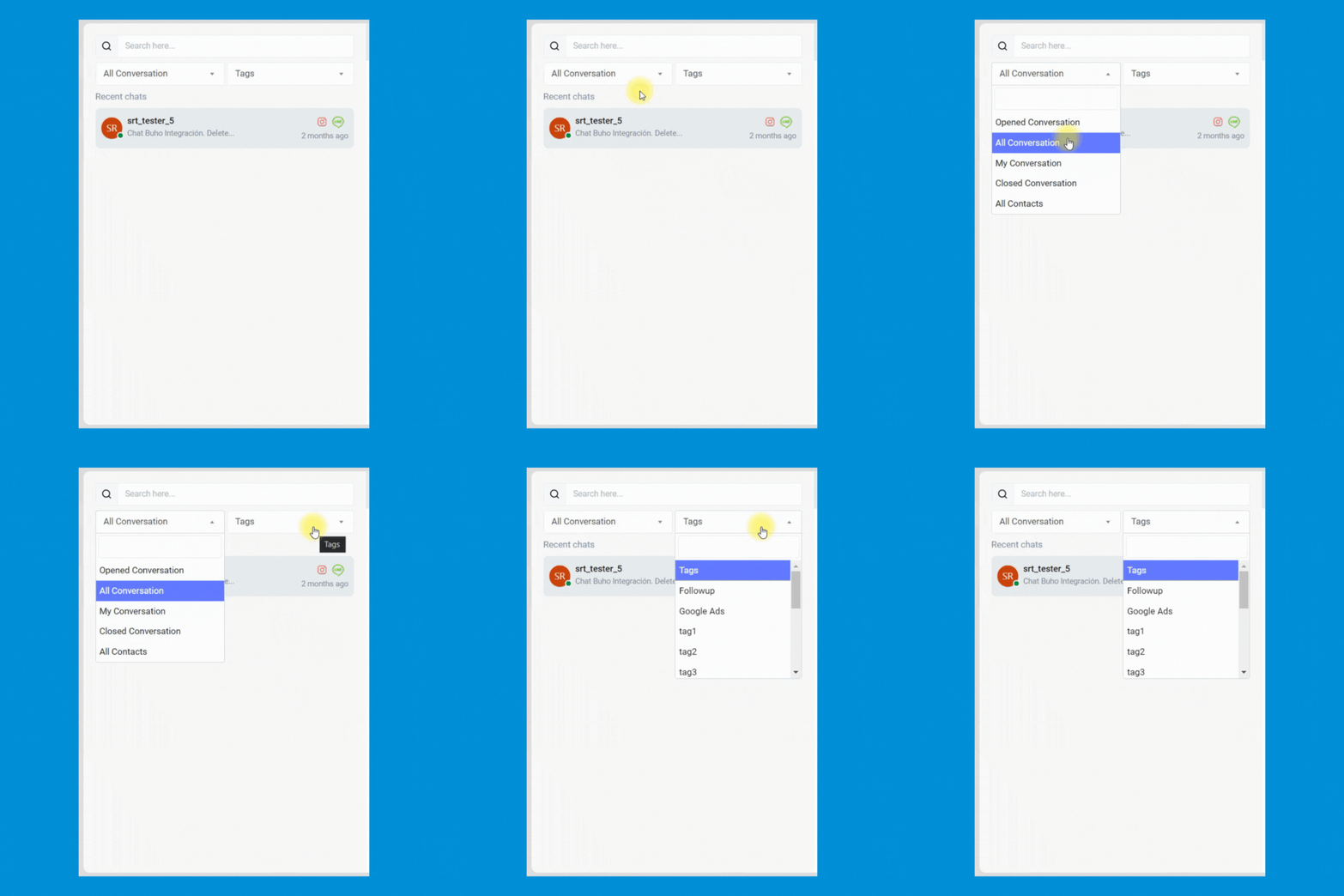
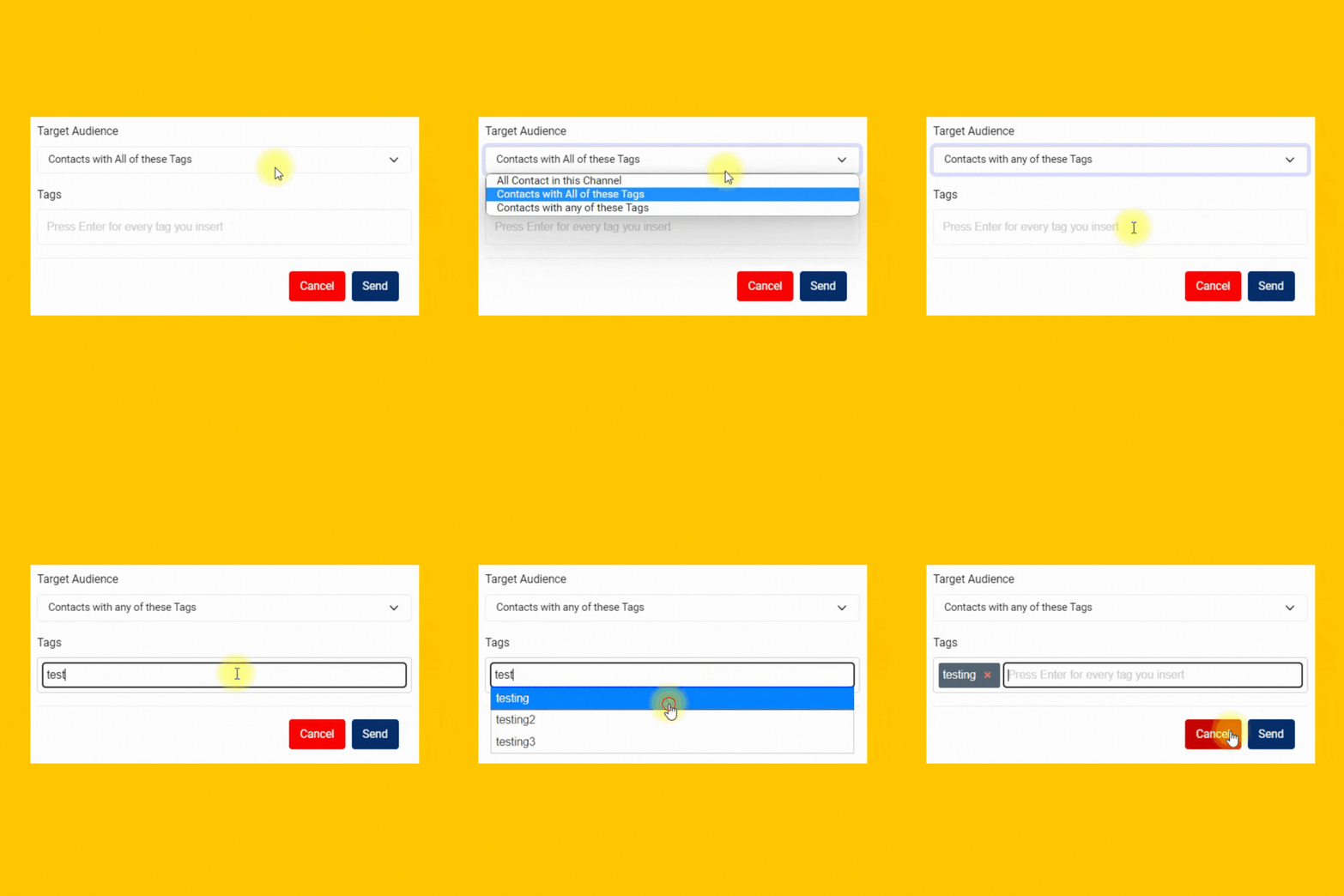
Manage every contact easily by inserting custom tags. Never miss any follow-up anymore.
Broadcast messages with 100% delivery rate
Send PROMOTIONAL MESSAGES with WhatsApp API provides a 100% delivery rate & instantaneous delivery.
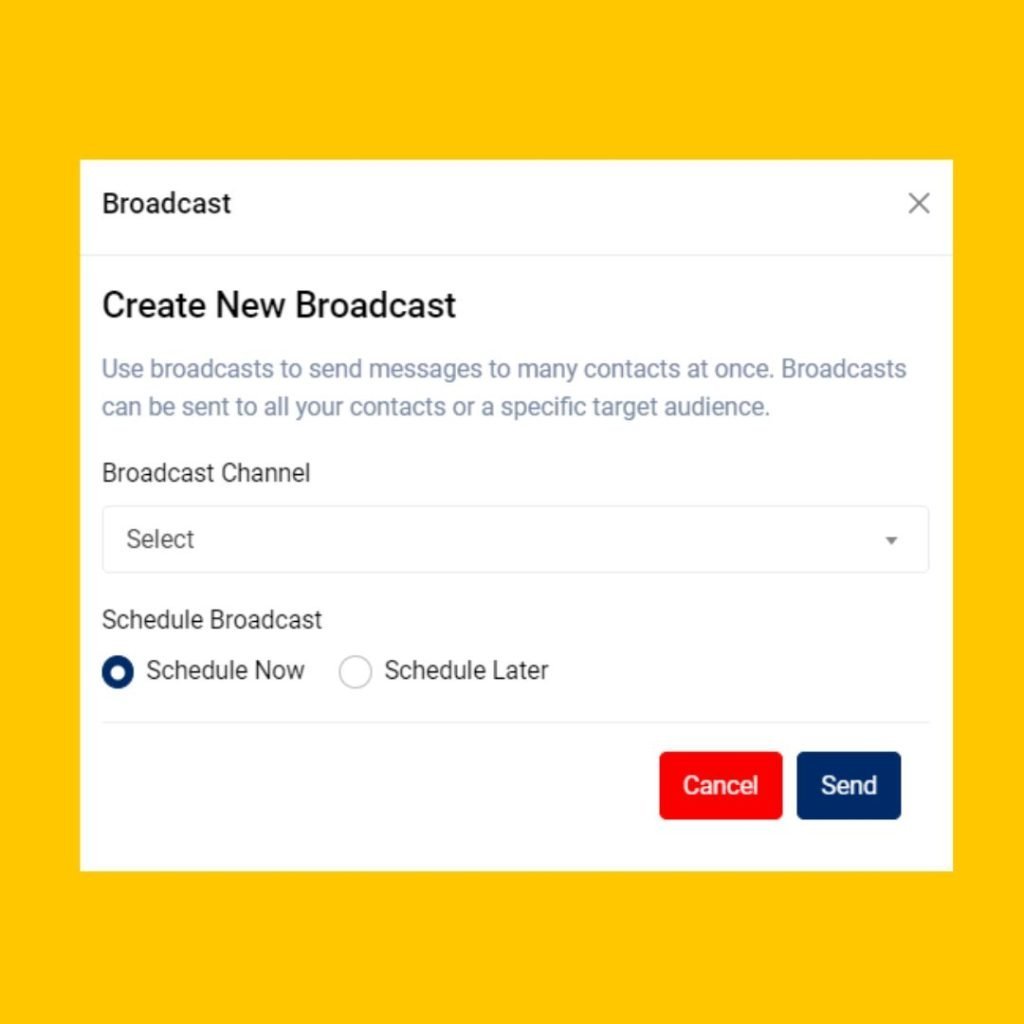
Enable your team to launch and schedule any marketing easily. Your team can even include the button in the WhatsApp message to improve the clickthrough rate of your marketing campaign.
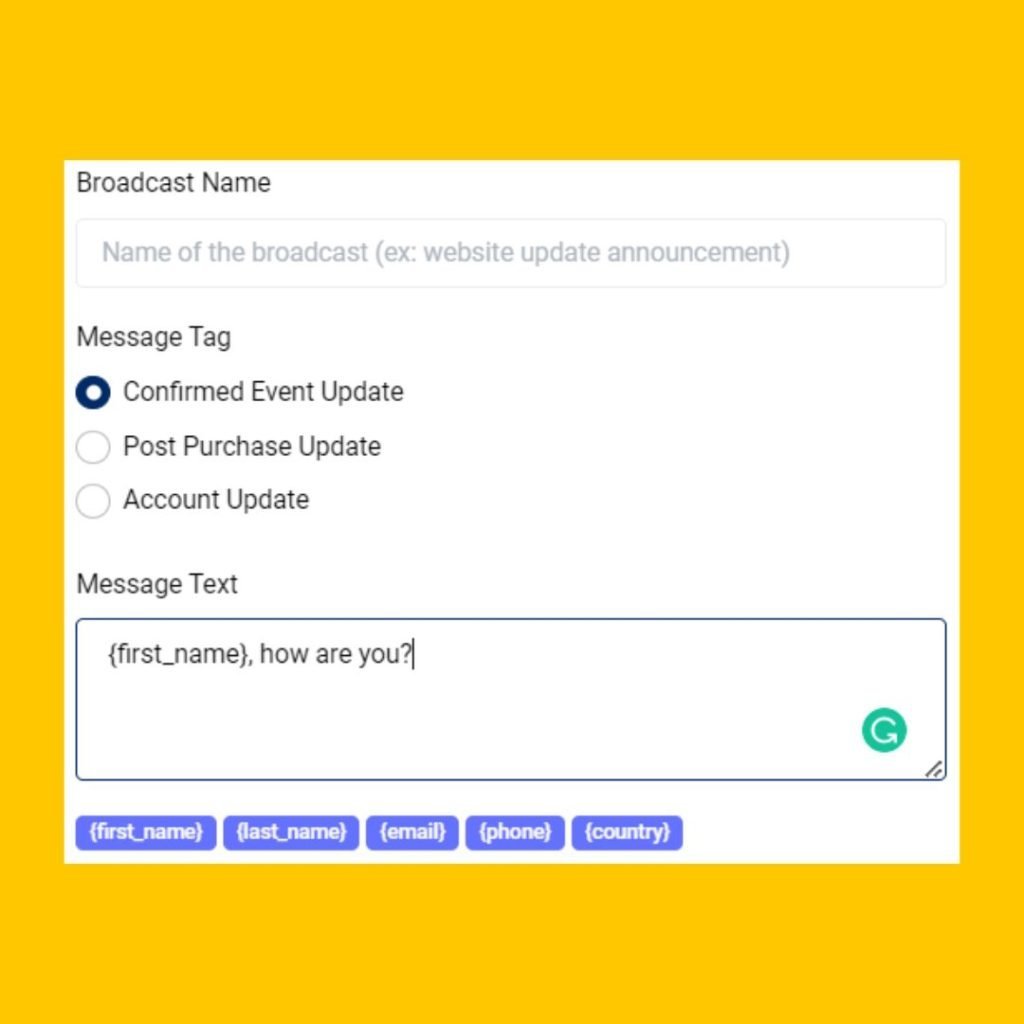
Allow your team to send personalized marketing messages to increase marketing engagement.
Send highly personalized messages to targeted prospects and customers to the right messaging app.
Leverage the unique traits of each channel. Make the most of every message with features like mixed media, templates and tags.
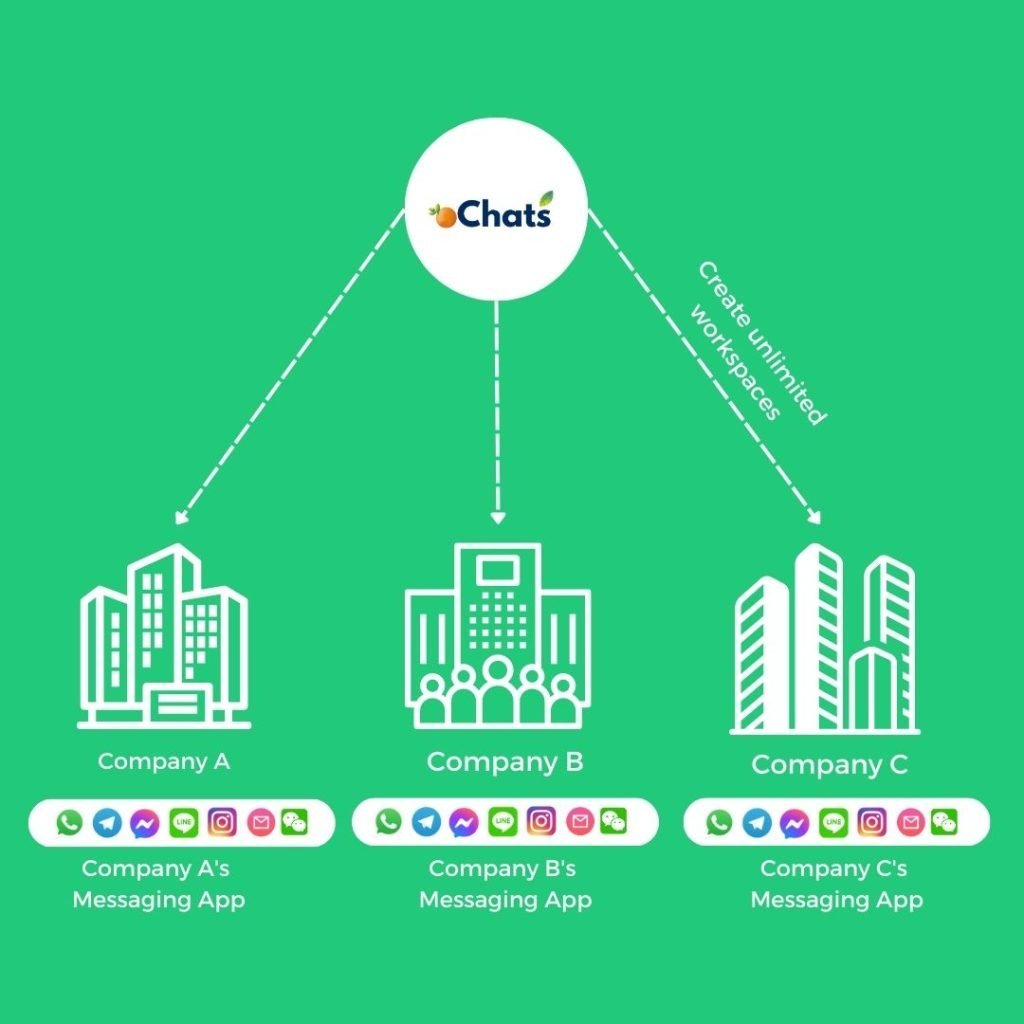
1 Platform, Unlimited Companies
Manage all incoming messages under your companies and brands using a single platform.
Managing all companies can be very expensive. We believe in providing real value to all businesses at an affordable rate. That's why we have decided to provide unlimited workspaces for any businesses to manage all companies in 1 platform. Super convenient!
Don't worry! Every workspace has its own unique contact module, message module, user permission module and more.
1 Platform, Unlimited Contacts From Different Messaging Apps
Never worry about expensive charges because of the high volume of contacts.
Every contact will be saved with the source of channels it comes from. Everything will be properly documented for your convenience.
2 conversations of the same person from different messaging apps can be merged so your team can have an organized conversation and contact information from 1 person.
Create any contact field easily. Having a custom contact book designed specifically only for you.
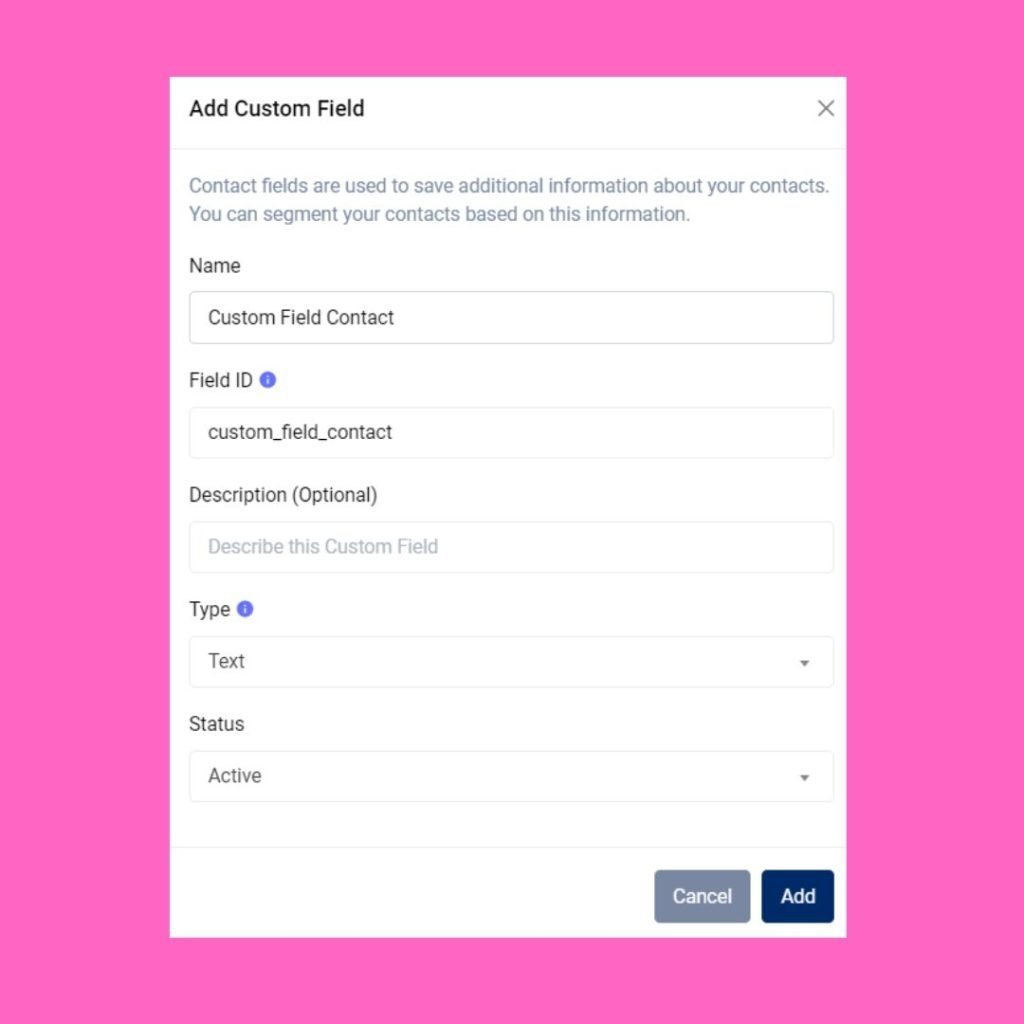
Autoreply messages with workflow automation
Build a rule-based CHATBOT to free up your team's time
Build a 24/7 chatbot by using automated rules created within workflow automation.
Route every conversation to correct pre-assigned team members efficiently & accurately.
Tag every contact with a specific tag. These tags can be used for filtering all conversations easier in the Contact module.
Stop wasting time to qualify your leads one by one. Automate it by using workflow automation.


Supervisor Dashboard with Helicopter View
Save your time juggling from 1 messaging app after another. Have a Helicopter View with oChats.io.
Analyse all conversations
Gain long-view perspectives on team, conversation and overall messaging performance. On a single page, learn which Users are exceeding expectations, conversation response and resolution time trends.
Determine user permission
Assign unique permission for every team member by giving permission access on certain modules only.
Full control over everything
Having a full control on every team member's access has never been easier before. Revoke their access if user has resigned from your company.
Why Your Business Needs Live Chat on Your Website
Engage Visitors Before They Leave
The average website visitor makes a decision to stay or leave within seconds. A live chat widget gives hesitant visitors a reason to pause and an easy way to ask the one question blocking their purchase decision. Live chat for website is one of the highest-leverage tools available for reducing bounce rate on commercial pages.
One Agent, Multiple Conversations
A single live chat agent can handle three to five conversations simultaneously compared to one at a time on the phone. That is three to five times the output at a fraction of the cost. As your business grows, live chat lets you scale live chat support without scaling headcount at the same rate.
Close Sales While Interest Is High
When a prospect visits your pricing page and has a question, every minute of delay is a risk of losing them. Live chat puts your team right there at the moment of decision. Businesses that add live chat to high-intent pages report conversion rate improvements of 20% to 45% on average. That is not a support cost it is a revenue driver.
Reduce Support Tickets and Email Volume
Many support tickets and emails are questions that could have been answered in 30 seconds on live chat. A well-managed live chat channel deflects repetitive inquiries before they enter your ticketing queue, reducing load on your team and getting customers their answers faster.
Build Customer Loyalty Through Speed
Customers who receive fast, helpful live chat support are significantly more likely to return and recommend your business to others. In Malaysia's competitive digital landscape, response speed is a genuine differentiator, and live chat is the fastest synchronous channel you can offer on your website.
Which Malaysian Businesses Use Live Chat Software?
oChats live chat is a strong fit for any business that has a website, receives customer enquiries, and wants to respond faster. Our customers come from a wide range of industries across Malaysia and Southeast Asia:
E-commerce and online retail
Answer pre-purchase questions, recover abandoned carts, handle order status inquiries in real time
Education providers and tuition centres
Qualify leads, answer course questions, and guide prospective students through enrolment
Healthcare clinics and wellness centres
Handle appointment enquiries, insurance questions, and general patient queries
F&B and hospitality
Manage reservation enquiries, delivery questions, and menu information at scale
Property agencies and developers
Engage interested buyers immediately while they are viewing listings
Financial services and insurance
Answer product questions and generate qualified leads without a phone call
SaaS and technology companies
Provide real-time support to trial users and handle technical queries before they churn
If your website gets more than 300 visitors a month and your team is currently handling enquiries by phone or email alone, live chat software will immediately improve your response speed and customer satisfaction.
Live Chat Software vs Other Support Channels
Not all support channels are equal. Here is how live chat compares to the alternatives Malaysian businesses commonly use:
| Channel | Response Speed | Agent Efficiency | Customer Preference (MY) | Best For |
|---|---|---|---|---|
| Live Chat | Seconds | High: 1 agent, 35 chats simultaneously | Rapidly growing | Pre-purchase questions, real-time sales support |
| Minutes | Medium: familiar but not multi-threaded | Dominant in Malaysia | Ongoing conversations, broadcast messaging | |
| Hours to days | Low: 1:1 conversations only | Declining for urgent issues | Formal communication, documentation | |
| Phone | Immediate but queued | Low: 1:1, high agent cost | High friction | Complex issues requiring detailed explanation |
The smartest businesses do not choose just one channel. They use all of them managed from a single inbox. oChats connects your website live chat with WhatsApp, Instagram, Facebook Messenger, and email so your team sees every conversation in one place, regardless of where it started.
Why Malaysian Businesses Choose oChats as Their Live Chat Platform
Live Chat That Works Inside an Omnichannel Inbox
Most live chat tools work in isolation. oChats is different. It is an omnichannel platform, which means your live chat conversations sit in the same inbox as your WhatsApp, Instagram, Facebook, and email messages. Your team manages every channel from one screen. No tab-switching, no missed messages, no duplicated effort.
Built for How Malaysian Customers Communicate
Malaysian customers move fluidly between platforms. A customer might start a conversation on your website live chat, continue it on WhatsApp, and follow up on Instagram the next day. oChats keeps the full conversation history intact across every channel so your agents always know who they are talking to and what has already been discussed.
No Technical Setup Required
oChats live chat works out of the box. Embed the widget with one line of code or install the WordPress plugin. No developers, no complicated configuration, no long onboarding. Most teams are fully live within the same day they sign up.
Scales With Your Team
Whether you are a 2-person team handling 50 chats a day or a 50-agent operation managing thousands of conversations, oChats grows with you. Add agents, create departments, build routing rules, and expand to new channels, all from the same platform without migrating your data.
Enterprise-Grade Security on AWS
Your customer conversations and data are hosted on Amazon Web Services (AWS) infrastructure with SSL encryption, AWS threat detection, and continuous compliance monitoring. oChats is built for businesses that take data security seriously.
Sync Across Device
Available in iOS & Android
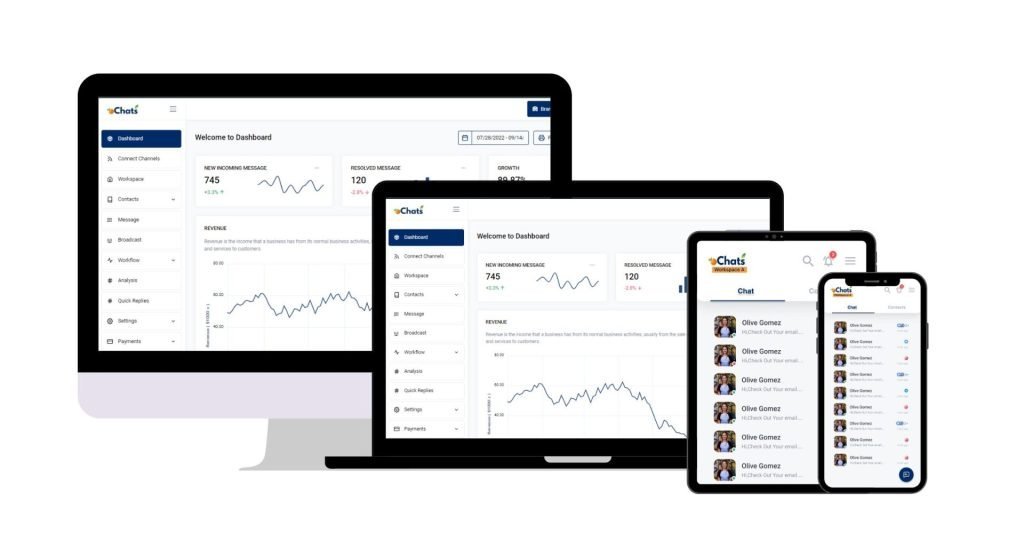
Reply on-the-go
Now you can reply to your business messages at anytime and anywhere. Download mobile app now.
Download mobile app now

Trusted by brands





Enterprise Security Protection
Your data hosts at Amazon Web Service
Data Secured
Your data is secured by AWS data protection protocol. AWS data protection services provide encryption and key management and threat detection that continuously monitors and protects your accounts and workloads.
AWS Threat Detection & Continuous Monitoring
AWS identifies threats by continuously monitoring the network activity and account behavior that might harm your data
AWS Compliance & Data Privacy
AWS gives you a comprehensive view of your compliance status and continuously monitors your environment using automated compliance checks based on the AWS best practices and industry standards your organization follows.
SSL Encryption
oChats data is encrypted both when it is sent to and from our servers as well as it rests.
Permission Access
oChats lets you decide who can access to your platform. You can also assign the level of access a person can access
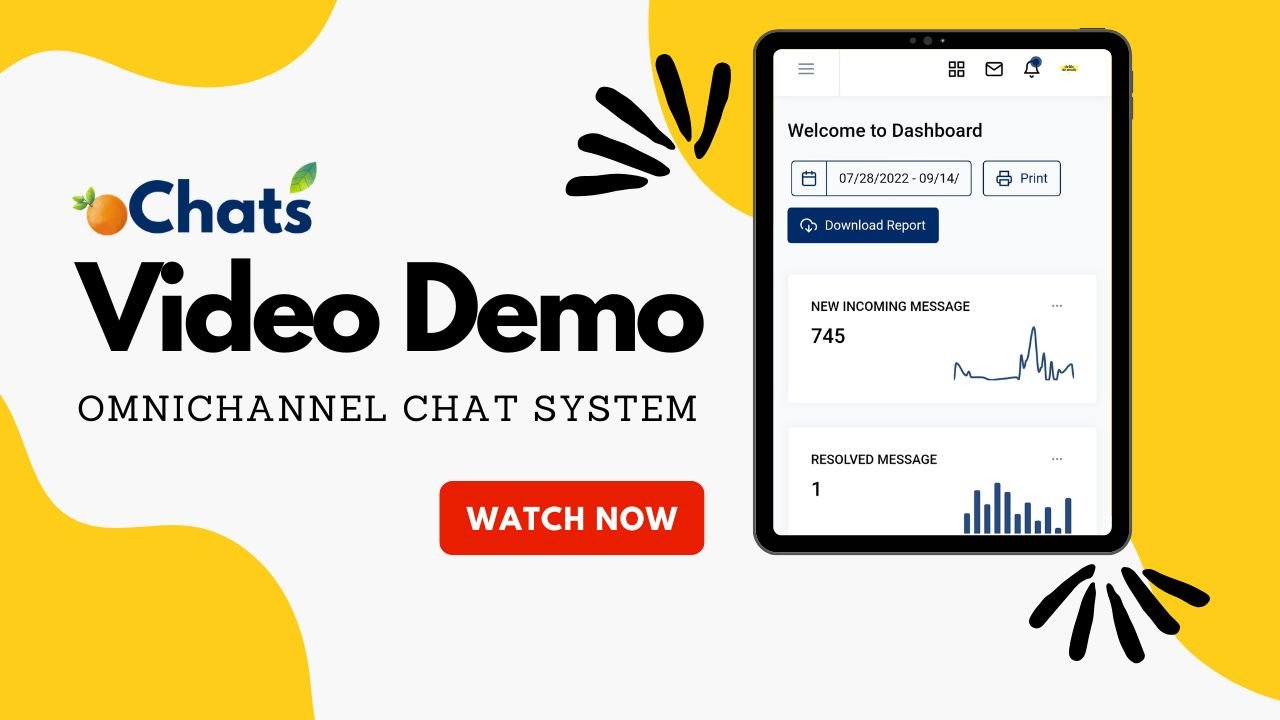
Watch oChats.io In Action
Video demo
Frequent Asked Questions About Live Chat Software
oChats provides a small embed code you copy and paste into your website's header section, the same way you would add Google Analytics or a Facebook Pixel. Alternatively, install the oChats WordPress plugin and activate it from your dashboard. Either method takes under 10 minutes and requires no developer. The chat widget appears on your site immediately after installation.
Yes. oChats supports unlimited agents on a single workspace. You can configure routing rules to distribute incoming chats automatically round-robin across all available agents, by department (e.g., sales vs. support), by language, or by any custom rule you define. Agents can also manually pick up open conversations from a shared queue.
Yes, fully. The live chat widget is mobile-responsive for your website visitors, it adapts to any screen size automatically. For your agents, oChats has a mobile app available on both iOS and Android so your team can respond to live chats, WhatsApp messages, and other channels from anywhere.
Agents can convert any live chat conversation into a support ticket with a single click. The ticket carries the full conversation history, customer contact details, and any internal notes left by the agent. It then enters your helpdesk queue, gets assigned to the right person, and tracks through to resolution. Customers receive a follow-up once the issue is closed. See how this works in our helpdesk ticketing system overview.
Yes. oChats is an omnichannel platform, not just a standalone live chat tool. You can connect WhatsApp Business API, Facebook Messenger, Instagram Direct, Telegram, and email to the same workspace. All conversations, including website live chats, appear together in one shared team inbox so your agents never need to check multiple platforms.
Ready to Start Chatting With Your Website Visitors?
Your website is already getting traffic. The question is how much of that traffic is leaving without ever talking to your team. oChats live chat software puts your team right where your customers are ready to answer, engage, and convert in real time.
Expand Your Live Chat Knowledge
Getting the most from live chat is an ongoing process. Whether you are just adding a widget to your site or building out a full live chat support operation, explore our in-depth guides below:
How a Live Chat Widget Increases Website Conversions
Learn why a live chat widget is one of the highest-ROI additions to any website and exactly how to set it up to increase leads and sales.
Live Chat for Ecommerce: Sell and Support in Real Time
Discover how online stores use live chat to answer pre-purchase questions, recover abandoned carts, and build customer loyalty that keeps shoppers coming back.
Live Chat vs Chatbot: Which Does Your Business Need?
Not sure whether to use human live chat or an automated chatbot? We break down the differences, the use cases, and how to combine both for maximum coverage.
Live Chat Customer Service: Setup and Best Practices
A step-by-step guide to running live chat as a customer service channel from team structure and response standards to escalation rules and CSAT measurement.
Live Chat Support: How to Deliver Fast, Effective Help
Practical tips for live chat agents on speed, tone, handling difficult conversations, and knowing when to escalate everything your team needs to deliver great live chat support consistently.