WhatsApp Plugin for WordPress: Add a Floating Chat Widget
The oChats WordPress plugin adds a lightweight, fully customisable floating chat widget to your site, giving visitors a one-click way to reach you on WhatsApp, Messenger, Instagram, Telegram, LINE, WeChat, or Email — instead of hiding your contact number in the footer.
What Is the oChats WordPress Plugin?
The oChats WordPress plugin (available free on WordPress.org) is a floating chat widget that sits in the corner of your site and puts every one of your contact channels behind a single button. Instead of visitors hunting through your footer or contact page for a phone number, they click the widget and choose whichever platform they already have open — WhatsApp, Facebook Messenger, Instagram Direct, Telegram, LINE, WeChat, or Email.
It's a genuinely new plugin (first released June 2026), built as a lightweight, standalone alternative to the heavier chat-widget plugins that pull in jQuery and slow down page load. It has no dependency on the oChats SaaS platform to function — it works as a simple, self-contained widget on its own.
Being honest about that newness: this isn't a plugin with years of reviews and hundreds of thousands of installs behind it. It's a focused, single-purpose tool built to do one job — show a floating multi-channel contact button — well, rather than trying to be a full customer support suite bolted onto a WordPress site.
What Can You Customise in the Plugin?
7 Messaging Channels
Enable WhatsApp, Facebook Messenger, Instagram Direct, Telegram, LINE, WeChat, and Email — show all of them or just the ones your business actually uses.
Widget Colour, Size & Position
Match the widget to your site's branding: custom colour, size, call-to-action text, and placement on the left or right side of the screen.
Desktop vs. Mobile Control
Choose which channels appear on desktop versus mobile for each channel independently, or hide a channel entirely on one device type.
Google Tag Manager Tracking
The plugin fires a dataLayer event every time a visitor clicks a channel button (gtm_whatsapp, gtm_fb_messenger, gtm_instagram, gtm_telegram, gtm_line, gtm_wechat, gtm_email), so you can track clicks as conversions in GA4 or any tag connected to GTM.
Built to Not Slow Down Your Site
Chat widget plugins have a reputation for adding noticeable page-load weight, often because they bundle jQuery or a full framework just to render a floating button. The oChats plugin is written in vanilla JavaScript with zero jQuery dependency, keeping it lightweight regardless of how many channels you enable.
It's also built to WCAG 2.2 accessibility standards — full keyboard navigation, proper ARIA roles, and visible focus indicators — and includes iOS safe-area support so the widget doesn't get hidden behind the home bar on modern iPhones. None of these are add-on options to configure; they're built into how the widget renders by default, regardless of which channels you enable or how you customise its appearance.
Why Add a Chat Widget Instead of Just Listing a Phone Number?
A phone number printed in a footer or buried on a contact page asks the visitor to do the work: copy the number, open their messaging app, paste it, and start typing. A floating widget removes every one of those steps — the moment a visitor decides they want to reach out, the button is already visible on whatever page they're on, and one click opens a conversation on the app they already have installed and logged into.
That difference matters most at the exact moment a visitor is deciding whether to convert. A shopper with a sizing question on a product page, a lead comparing pricing plans, someone reading a blog post who wants to ask something specific — each of these is a moment where friction between "I have a question" and "I've sent it" directly affects whether they follow through at all.
Showing multiple channels rather than just one also matters, since not every visitor defaults to the same app. A visitor in one region may reach for WhatsApp automatically, while another expects to message a business through Instagram or Facebook Messenger instead. Offering all the channels your business actually monitors, rather than picking one and hoping it matches every visitor's habits, removes a second point of friction on top of the first.
Who Is This Plugin For?
Local Service Businesses
Restaurants, clinics, salons, and other local businesses that get most of their real inquiries over WhatsApp already benefit from putting that channel one click away on every page.
Ecommerce Stores
Pre-sales questions about sizing, stock, or shipping are exactly the kind of quick question a visitor will ask over chat if it's easy, and abandon the site over if it isn't.
SaaS & Service Websites
Pricing pages and feature comparisons generate questions that a visitor would rather ask directly than dig through a FAQ page for.
Agencies & Consultants
A simple, professional way to invite a direct conversation without needing a full booking system or contact form for every inquiry.
How Do I Install the Plugin?
Setup follows the same process as any WordPress plugin, with no coding required:
1. Download the plugin. Get the free zip file directly from WordPress.org.
2. Upload it in your WordPress admin. Go to Plugins > Add New > Upload Plugin, choose the zip file, and click Install Now.
3. Activate the plugin. Click Activate once installation finishes.
4. Configure your channels. Go to Settings > oChats to enable each channel, enter your contact details, and customise the widget's appearance.
What Happens When a Visitor Clicks the Widget?
Clicking a channel button in the widget takes the visitor's browser to that platform's own standard messaging link — wa.me for WhatsApp, m.me for Facebook Messenger, ig.me/m for Instagram, t.me for Telegram, and the equivalent for LINE. This is a normal browser redirect triggered by the visitor's own click, exactly the same as clicking a WhatsApp link anywhere else on the web. The plugin itself doesn't transmit any data to these platforms; once the visitor arrives on WhatsApp, Messenger, or whichever app they chose, that platform's own privacy policy applies from that point on, the same as it would for any other link to that service.
Is the Plugin Really Free?
Yes. The core plugin — all 7 channels, full customisation, GTM tracking — is free to install and use with no limits on visitors or clicks. The one difference on the free plan is a small "Developed by oChats.io" attribution link shown in the widget footer. Removing that attribution link is a paid-plan feature; everything else works identically on both plans.
This also means there's no trial period to worry about or feature countdown pushing you toward upgrading. If the attribution link doesn't bother you, the free plan is a genuinely complete, ongoing option rather than a time-limited preview of a paid product.
Looking for the Full Support Platform?
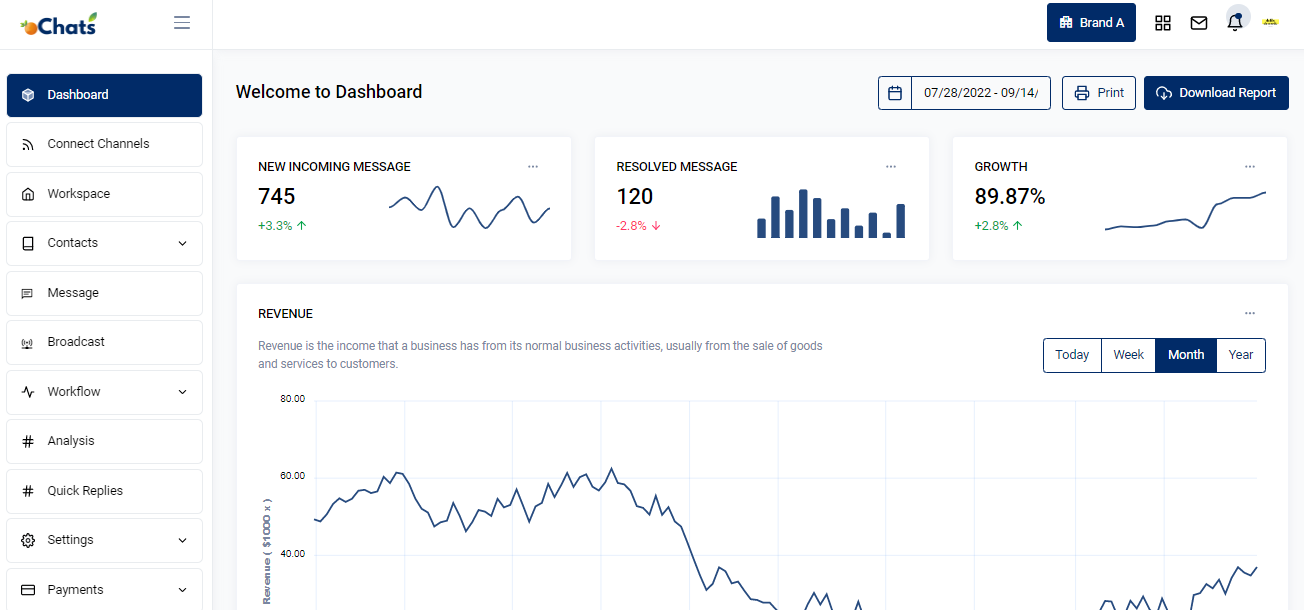
This plugin is a standalone widget for your WordPress site's frontend. If you're looking for the shared team inbox that manages the conversations once a visitor clicks through, see how oChats connects all your messaging channels on the platform side.
Frequently Asked Questions
Go to Settings > oChats > Channels, enable WhatsApp, and enter your phone number with the country code but no + sign and no spaces — for example, 60123456789.
Enter your GTM Container ID in Settings > oChats > Tracking. Every time a visitor clicks a channel button, the plugin fires a dataLayer event. In GTM, create a Custom Event trigger for each event name (e.g. gtm_whatsapp) and connect it to GA4 or any other tag you use.
Yes. For each channel you can choose Desktop & Mobile, Desktop Only, or Mobile Only, so you can show a different set of channels depending on the device.
The attribution link can be disabled in Settings > oChats > Advanced, available to paid plan users. It remains visible on the free plan.
No. The plugin is written in vanilla JavaScript with zero jQuery dependency, so it doesn't add the page-weight that heavier chat-widget plugins often do.
The plugin requires WordPress 5.6 or higher and PHP 7.4 or higher, and is tested up to the current WordPress release.
No. This plugin is a standalone floating widget for your WordPress site's frontend, and it works on its own without requiring an oChats SaaS account. If you want the shared team inbox that manages the conversations once a visitor clicks through — assigning conversations to agents, tracking response times, and so on — that's the separate oChats platform, not this plugin.
It's built specifically to avoid this — vanilla JavaScript with zero jQuery dependency, rather than the heavier framework-based widgets common on WordPress. It also does not automatically load any external script; the optional Google Tag Manager script only loads if you configure a GTM Container ID in the plugin settings.






Give Every Visitor a One-Click Way to Reach You
Stop hiding your contact channels in the footer. Add a floating widget that puts WhatsApp, Messenger, and more one click away.